

NEW
Seedance is an advanced AI video generation model developed by ByteDance that turns natural language text or images into cinematic, high-fidelity video clips with fluid motion, multi-shot consistency, and rich visual detail. In Vizard, you can call Seedance directly from AI Studio using your Vizard Credits to generate professional-grade videos and then edit, refine, and repurpose them within the same creative workflow.
Seedance is ByteDance’s advanced AI video generation model that supports both text-to-video and image-to-video creation with cinematic quality, multi-shot narrative coherence, smooth motion, and rich visual detail. Inside Vizard AI Studio, you can call Seedance using your Vizard Credits to generate professional-grade videos and then edit, refine, and repurpose them within the same workflow.
Converts natural language descriptions into high-quality video sequences with smooth motion and narrative flow.
Animates static images into dynamic video clips, preserving visual identity while adding motion.
Maintains continuity across multiple shots, enabling cohesive storytelling and scene transitions.
Produces videos up to 1080p with rich details, natural motion, and visually engaging aesthetics suitable for professional use.
Accurately follows complex instructions to reflect creative intent in visuals and sequencing.
Ensures fluid movement and stable visuals across frames to avoid flicker and maintain realism.
Supports multiple resolutions, aspect ratios, and durations to match platform and project needs.
Models like Seedance 1.5 Pro include synchronized audio generation alongside video for complete scenes.

Here are three simple steps to help you explore Seedance on Vizard:
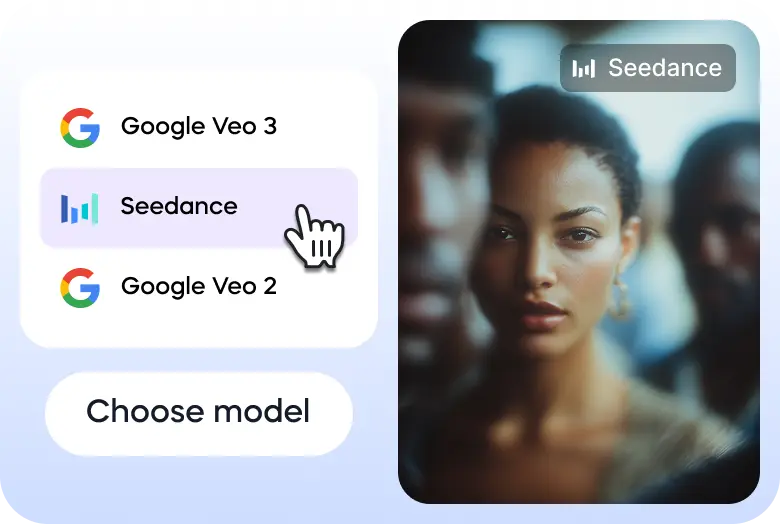
Go to Vizard’s text to video generator and select Seedance model.
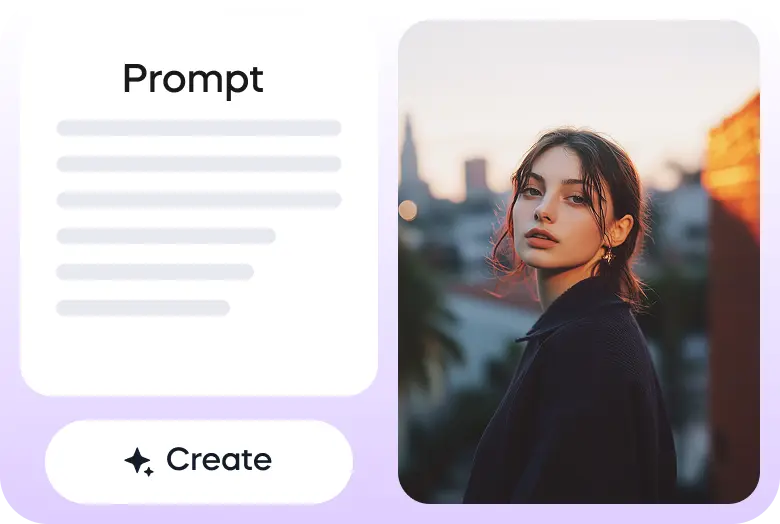
Enter your prompt or upload your image to get started.
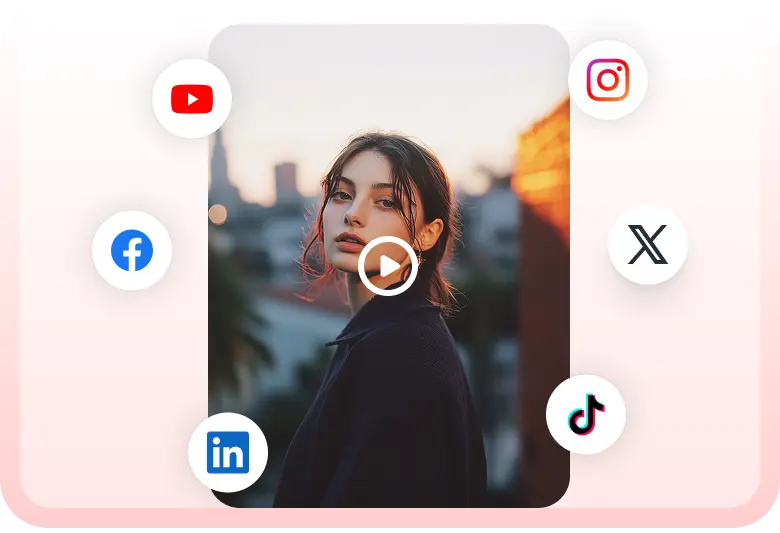
Once the video is ready, you can download it or share it on your social media accounts directly through Vizard.

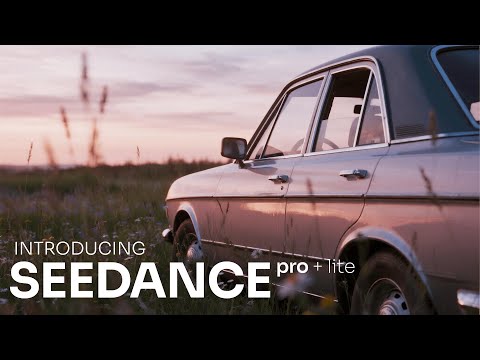
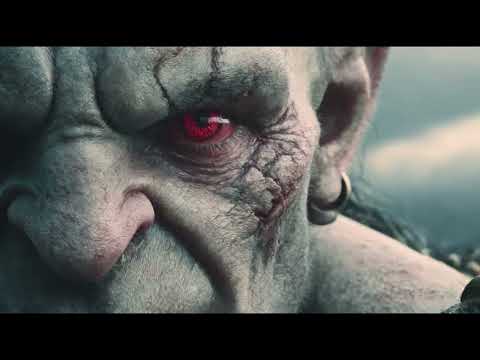
Seedance 1.0 and Zeely for storytelling.
— Zeely AI (@zeely_ai) December 30, 2025
Most tools ask you to explain the whole story upfront.
That’s rarely how stories are made.
Seedance helps you create short AI films scene by scene, letting the idea take shape as it goes.
It works well for inspiration videos and for… pic.twitter.com/bdIigbRd8n
From human to machine in seconds. 🤖
— Zara (@ZaraIrahh) January 3, 2026
I transformed this shot from human to machine using Seedance 1.5 Pro on Higgsfield with just one image.
Here’s the exact process 👇 pic.twitter.com/Yl3IqBuFLj
AI videos looked fake the moment someone started talking.
— Tulsi Soni (@shedntcare_) January 20, 2026
Bad lips. Weird emotions. No real “cinema” feeling.
Now it finally changed. 🎬
Seedance 1.5 Pro by BytePlus is insane pic.twitter.com/KTPt4GdVDA
QT - Your Guardian Angel🙏👼
— Marzaday (@OriginalMarza) January 13, 2026
Made using Seedance Pro 1.5
Made with:@ImagineArt_X
and@imagineart_creo pic.twitter.com/dfWSR2ewUv
AI video just crossed a real line.
— Parul Gautam (@Parul_Gautam7) January 1, 2026
Not better visuals.
Not faster renders.
Synchronized sound + cinema-grade motion — by default.
Meet Seedance 1.5 pro. pic.twitter.com/74fhEyH9KZ
🚨 STOP SCROLLING. AI video has evolved!
— FELIX (@FellMentKE) December 30, 2025
Dreamina AI launched its S-Tier Video 3.5 Pro Model (Seedance 1.5 Pro), mastering audio-visual integration.
Gone are silent clips. This model seamlessly adds sound effects, voice, and music.
It's a complete video studio in one prompt. pic.twitter.com/dLL14upRnB
Prompt shasre Seedance 1.5 Pro On @replicate
— Amira Zairi (@azed_ai) January 5, 2026
First-person POV charging through a ruined city street. Collapsing buildings on both sides, sparks raining down. The camera jolts as rubble is jumped over. Hands briefly steady against a wall before pushing forward. Dust-filled air,… pic.twitter.com/2iUuOl1Ges
What is Seedance?
Seedance is ByteDance’s advanced AI video generation model that creates cinematic, high-quality videos from text or image prompts, supporting multi-shot narratives, smooth motion, and consistent visuals.
How do I use Seedance in Vizard?
Seedance is available inside Vizard AI Studio. You can select and run the model using Vizard Credits to generate videos, and then immediately open those videos in Vizard’s editor to trim, style, add captions, or format for social platforms.
What types of input does Seedance support?
Seedance supports both text-to-video and image-to-video generation, meaning you can start with a written prompt or a static image and let the model animate it into a dynamic scene.
What makes Seedance different from other video models in Vizard’s AI Studio?
Seedance excels with multi-shot narrative continuity, strong prompt adherence, and fluid cinematic motion, making it especially useful for storytelling clips, product demos, and structured brand content.
Is Seedance the only model available in Vizard AI Studio?
No. Vizard AI Studio also supports other leading text-to-video and text-to-image models such as Veo 3, Sora 2, Kling, Wan 2.2, Nano Banana Pro, and more, letting you pick the best style for your project.
Do I need to pay to use Seedance in Vizard?
All supported AI models in Vizard AI Studio—including Seedance—are accessed with Vizard Credits. Every free user receives complimentary credits to try these models and start generating content.
What happens after I generate a video with Seedance?
Once your video is generated, you can edit it directly in Vizard’s editor—add text, music, cuts, auto-resize for TikTok/Reels/Shorts, and export or publish without leaving the platform.
Seedance is ByteDance’s advanced AI video generation model that supports both text-to-video and image-to-video creation with cinematic quality, multi-shot narrative coherence, smooth motion, and rich visual detail. Inside Vizard AI Studio, you can call Seedance using your Vizard Credits to generate professional-grade videos and then edit, refine, and repurpose them within the same workflow.
Converts natural language descriptions into high-quality video sequences with smooth motion and narrative flow.
Animates static images into dynamic video clips, preserving visual identity while adding motion.
Maintains continuity across multiple shots, enabling cohesive storytelling and scene transitions.
Produces videos up to 1080p with rich details, natural motion, and visually engaging aesthetics suitable for professional use.
Accurately follows complex instructions to reflect creative intent in visuals and sequencing.
Ensures fluid movement and stable visuals across frames to avoid flicker and maintain realism.
Supports multiple resolutions, aspect ratios, and durations to match platform and project needs.
Models like Seedance 1.5 Pro include synchronized audio generation alongside video for complete scenes.
Here are three simple steps to help you explore Seedance on Vizard:
Go to Vizard’s text to video generator and select Seedance model.
Enter your prompt or upload your image to get started.
Once the video is ready, you can download it or share it on your social media accounts directly through Vizard.
Seedance 1.0 and Zeely for storytelling.
— Zeely AI (@zeely_ai) December 30, 2025
Most tools ask you to explain the whole story upfront.
That’s rarely how stories are made.
Seedance helps you create short AI films scene by scene, letting the idea take shape as it goes.
It works well for inspiration videos and for… pic.twitter.com/bdIigbRd8n
From human to machine in seconds. 🤖
— Zara (@ZaraIrahh) January 3, 2026
I transformed this shot from human to machine using Seedance 1.5 Pro on Higgsfield with just one image.
Here’s the exact process 👇 pic.twitter.com/Yl3IqBuFLj
AI videos looked fake the moment someone started talking.
— Tulsi Soni (@shedntcare_) January 20, 2026
Bad lips. Weird emotions. No real “cinema” feeling.
Now it finally changed. 🎬
Seedance 1.5 Pro by BytePlus is insane pic.twitter.com/KTPt4GdVDA
QT - Your Guardian Angel🙏👼
— Marzaday (@OriginalMarza) January 13, 2026
Made using Seedance Pro 1.5
Made with:@ImagineArt_X
and@imagineart_creo pic.twitter.com/dfWSR2ewUv
AI video just crossed a real line.
— Parul Gautam (@Parul_Gautam7) January 1, 2026
Not better visuals.
Not faster renders.
Synchronized sound + cinema-grade motion — by default.
Meet Seedance 1.5 pro. pic.twitter.com/74fhEyH9KZ
🚨 STOP SCROLLING. AI video has evolved!
— FELIX (@FellMentKE) December 30, 2025
Dreamina AI launched its S-Tier Video 3.5 Pro Model (Seedance 1.5 Pro), mastering audio-visual integration.
Gone are silent clips. This model seamlessly adds sound effects, voice, and music.
It's a complete video studio in one prompt. pic.twitter.com/dLL14upRnB
Prompt shasre Seedance 1.5 Pro On @replicate
— Amira Zairi (@azed_ai) January 5, 2026
First-person POV charging through a ruined city street. Collapsing buildings on both sides, sparks raining down. The camera jolts as rubble is jumped over. Hands briefly steady against a wall before pushing forward. Dust-filled air,… pic.twitter.com/2iUuOl1Ges
What is Seedance?
Seedance is ByteDance’s advanced AI video generation model that creates cinematic, high-quality videos from text or image prompts, supporting multi-shot narratives, smooth motion, and consistent visuals.
How do I use Seedance in Vizard?
Seedance is available inside Vizard AI Studio. You can select and run the model using Vizard Credits to generate videos, and then immediately open those videos in Vizard’s editor to trim, style, add captions, or format for social platforms.
What types of input does Seedance support?
Seedance supports both text-to-video and image-to-video generation, meaning you can start with a written prompt or a static image and let the model animate it into a dynamic scene.
What makes Seedance different from other video models in Vizard’s AI Studio?
Seedance excels with multi-shot narrative continuity, strong prompt adherence, and fluid cinematic motion, making it especially useful for storytelling clips, product demos, and structured brand content.
Is Seedance the only model available in Vizard AI Studio?
No. Vizard AI Studio also supports other leading text-to-video and text-to-image models such as Veo 3, Sora 2, Kling, Wan 2.2, Nano Banana Pro, and more, letting you pick the best style for your project.
Do I need to pay to use Seedance in Vizard?
All supported AI models in Vizard AI Studio—including Seedance—are accessed with Vizard Credits. Every free user receives complimentary credits to try these models and start generating content.
What happens after I generate a video with Seedance?
Once your video is generated, you can edit it directly in Vizard’s editor—add text, music, cuts, auto-resize for TikTok/Reels/Shorts, and export or publish without leaving the platform.









