

NEW
Veo 3 is Google's latest and most advanced AI model for generating high-quality, high-fidelity videos from text and image prompts. Building on the foundation of its predecessors, Veo 3 represents a significant leap forward in AI-powered video creation. It is designed for a wide range of users, from hobbyists and content creators to professional developers and enterprise teams.
Veo 3’s primary purpose is to transform creative ideas into stunning video clips with remarkable realism and cinematic quality. Its key strength lies in its ability to understand and execute complex prompts, delivering outputs that feature consistent subjects, realistic physics, and, most notably, natively generated audio. Whether you're a developer integrating video generation into an application or a creator looking to quickly prototype a visual concept, Veo 3 provides a powerful and versatile tool for bringing your vision to life.
This is one of Veo 3’s most significant advancements. The model can automatically add perfectly synchronized audio, including sound effects, ambient noise, and even character dialogue, to your video clips. This feature helps create a more immersive and complete viewing experience.
Veo 3 excels at generating videos with superior visual quality, including rich detail, better lighting, and improved physics simulations. The model can generate videos in resolutions up to 1080p, with some third-party platforms even claiming support for 4K.
In addition to text-to-video, Veo 3 can generate video content from a single input image. This feature allows creators to animate still images while maintaining stylistic and character consistency across the generated clip.
The model is designed to better understand and follow complex, detailed prompts. Users can use cinematic language, like "dolly zoom" or "shallow focus," to direct the action and style of their videos with greater precision.
Veo 3 offers a high degree of creative control, allowing users to guide character appearance, motion, and even the camera's movement within a scene.
A faster, more cost-effective version of the model, Veo 3 Fast is optimized for speed and efficiency, making it ideal for rapid prototyping, programmatic advertising, and large-scale content generation.

Here are three simple steps to help you explore Veo 3 on Vizard:
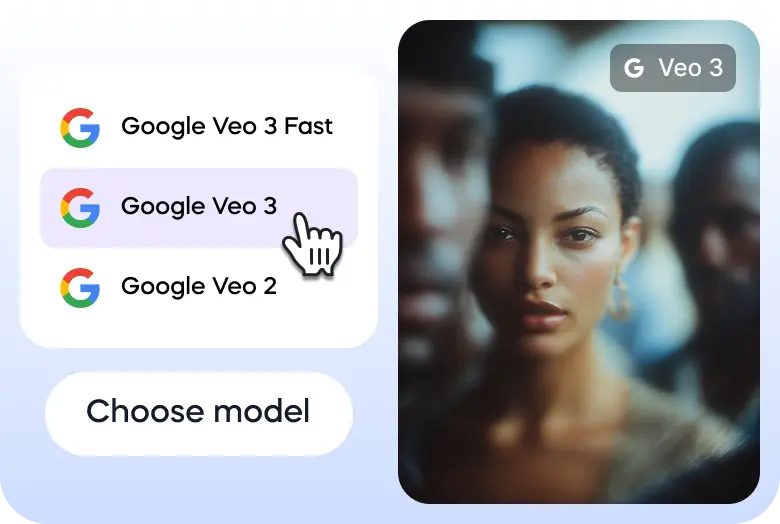
Go to Vizard’s text to video generator and select Veo 3 model.
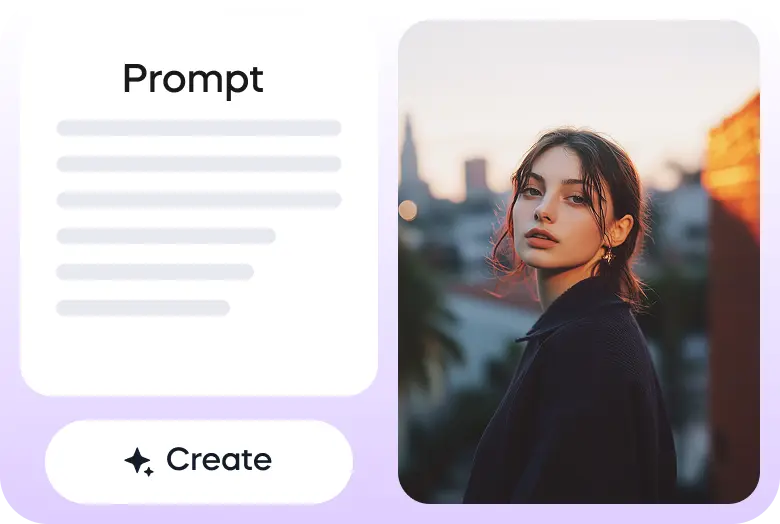
Enter your prompt or upload your image to get started.
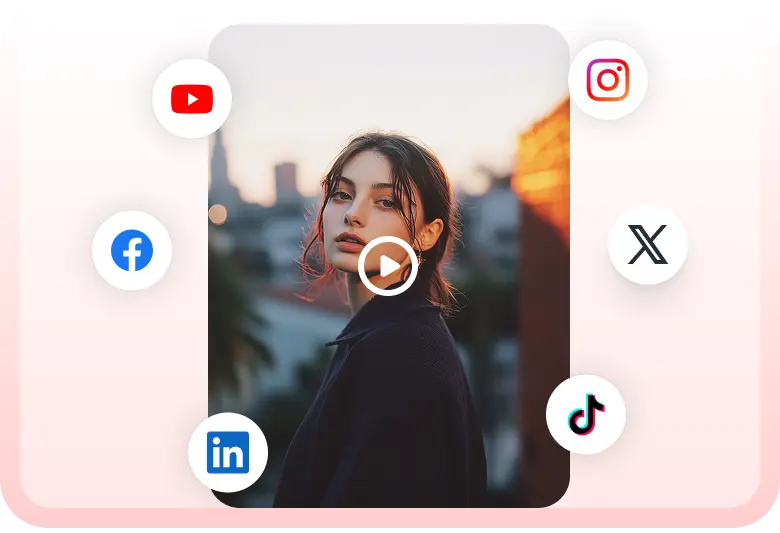
Once the video is ready, you can download it or share it on your social media accounts directly through Vizard.


Posts from the chatgpt
community on Reddit
VEO-3's Image to Video with Audio is a massive gamechanger for AI Storytelling.
— Theoretically Media (@TheoMediaAI) July 8, 2025
Full Scenes with consistent characters are here.
PLUS MORE in the thread! pic.twitter.com/EphMqVaT4W
Here's a collection of a bunch of the clips I created with VEO 3 to test out it's ability to generate 360° video.
— Martin Nebelong (@MartinNebelong) June 6, 2025
I'll post a link below to a VR ready youtube video so you can test it on your own VR headsets. pic.twitter.com/yU966rNhGR
Veo 3 feels magical.
— Chubby♨️ (@kimmonismus) May 20, 2025
Everyone can become a Steven Spielberg today.
I freaking love it.
AI generated video, sound and speech.
How amazing is that?! pic.twitter.com/MVRWFUetIi
This may be the coolest emergent capability I've seen in a video model.
— Justine Moore (@venturetwins) July 25, 2025
Veo 3 can take a series of text instructions added to an image frame, understand them, and execute in sequence.
Prompt was "immediately delete instructions in white on the first frame and execute in order" pic.twitter.com/FcUnQU9yBH
Genie 3 for when your Veo clip ends too soon.
— Matt McGill (@MattMcGill_) August 8, 2025
Imagen -> Veo -> Genie 3. pic.twitter.com/OW3EOwzHog
VEO-3's Image to Video with Audio is a massive gamechanger for AI Storytelling.
— Theoretically Media (@TheoMediaAI) July 8, 2025
Full Scenes with consistent characters are here.
PLUS MORE in the thread! pic.twitter.com/EphMqVaT4W
Trampolines aren't the only things bunnies are into #veo3 pic.twitter.com/NEXyZYgKZo
— Google Gemini (@GeminiApp) August 8, 2025
Veo-3 fast on Flow 🐯
— Iqra Saifi (@IqraSaifiii) August 11, 2025
A hyper-realistic, super-slow-motion cinematic video of a magnificent leopard drinking from a clear jungle river during the golden hour of a late afternoon. The 8-second sequence is shot with a telephoto lens, creating an extremely shallow, cinematic depth… pic.twitter.com/Ik6ZZG0BO7
Say goodbye to the silent era of video generation: Introducing Veo 3 — with native audio generation. 🗣️
— Google (@Google) May 20, 2025
Quality is up from Veo 2, and now you can add dialogue between characters, sound effects and background noise.
Veo 3 is available now in the @GeminiApp for Google AI Ultra… pic.twitter.com/7rcXeBslyU
What are Veo 3's core capabilities and limitations?
Veo 3 excels at generating high-fidelity, high-resolution videos with natively integrated audio, including dialogue, sound effects, and music. It also offers advanced cinematic controls and image-to-video functionality. A key limitation is its focus on shorter clips, typically around 8-20 seconds, though some platforms are working on extending this duration. The model may also face challenges with complex, multi-shot narratives or maintaining perfect consistency over very long sequences.
What is the underlying architecture of Veo 3?
Veo 3 is built on a sophisticated latent diffusion transformer architecture. This design uses specialized autoencoders to compress raw video and audio data into a more efficient "latent space" before applying a diffusion process. This approach, combined with the power of transformers, allows the model to process both visual and audio information together, enabling the seamless, unified generation of video and sound in a single pass.
Are there any content restrictions or safety measures in place?
Yes, all videos generated by Veo 3 models include a digital watermark, such as SynthID, to indicate they are AI-generated. The model also has built-in safety filters to prevent the creation of harmful, explicit, or dangerous content. According to a Veo 3 Model Card, testing revealed a potential for bias, such as a skew towards lighter skin tones when race is not specified, which Google is working to mitigate.
What are the supported output formats and integrations?
Veo 3 primarily outputs video files, though the specific format may vary by platform.
Veo 3’s primary purpose is to transform creative ideas into stunning video clips with remarkable realism and cinematic quality. Its key strength lies in its ability to understand and execute complex prompts, delivering outputs that feature consistent subjects, realistic physics, and, most notably, natively generated audio. Whether you're a developer integrating video generation into an application or a creator looking to quickly prototype a visual concept, Veo 3 provides a powerful and versatile tool for bringing your vision to life.
This is one of Veo 3’s most significant advancements. The model can automatically add perfectly synchronized audio, including sound effects, ambient noise, and even character dialogue, to your video clips. This feature helps create a more immersive and complete viewing experience.
Veo 3 excels at generating videos with superior visual quality, including rich detail, better lighting, and improved physics simulations. The model can generate videos in resolutions up to 1080p, with some third-party platforms even claiming support for 4K.
In addition to text-to-video, Veo 3 can generate video content from a single input image. This feature allows creators to animate still images while maintaining stylistic and character consistency across the generated clip.
The model is designed to better understand and follow complex, detailed prompts. Users can use cinematic language, like "dolly zoom" or "shallow focus," to direct the action and style of their videos with greater precision.
Veo 3 offers a high degree of creative control, allowing users to guide character appearance, motion, and even the camera's movement within a scene.
A faster, more cost-effective version of the model, Veo 3 Fast is optimized for speed and efficiency, making it ideal for rapid prototyping, programmatic advertising, and large-scale content generation.
Here are three simple steps to help you explore Veo 3 on Vizard:
Go to Vizard’s text to video generator and select Veo 3 model.
Enter your prompt or upload your image to get started.
Once the video is ready, you can download it or share it on your social media accounts directly through Vizard.
VEO-3's Image to Video with Audio is a massive gamechanger for AI Storytelling.
— Theoretically Media (@TheoMediaAI) July 8, 2025
Full Scenes with consistent characters are here.
PLUS MORE in the thread! pic.twitter.com/EphMqVaT4W
Here's a collection of a bunch of the clips I created with VEO 3 to test out it's ability to generate 360° video.
— Martin Nebelong (@MartinNebelong) June 6, 2025
I'll post a link below to a VR ready youtube video so you can test it on your own VR headsets. pic.twitter.com/yU966rNhGR
Veo 3 feels magical.
— Chubby♨️ (@kimmonismus) May 20, 2025
Everyone can become a Steven Spielberg today.
I freaking love it.
AI generated video, sound and speech.
How amazing is that?! pic.twitter.com/MVRWFUetIi
This may be the coolest emergent capability I've seen in a video model.
— Justine Moore (@venturetwins) July 25, 2025
Veo 3 can take a series of text instructions added to an image frame, understand them, and execute in sequence.
Prompt was "immediately delete instructions in white on the first frame and execute in order" pic.twitter.com/FcUnQU9yBH
Genie 3 for when your Veo clip ends too soon.
— Matt McGill (@MattMcGill_) August 8, 2025
Imagen -> Veo -> Genie 3. pic.twitter.com/OW3EOwzHog
VEO-3's Image to Video with Audio is a massive gamechanger for AI Storytelling.
— Theoretically Media (@TheoMediaAI) July 8, 2025
Full Scenes with consistent characters are here.
PLUS MORE in the thread! pic.twitter.com/EphMqVaT4W
Trampolines aren't the only things bunnies are into #veo3 pic.twitter.com/NEXyZYgKZo
— Google Gemini (@GeminiApp) August 8, 2025
Veo-3 fast on Flow 🐯
— Iqra Saifi (@IqraSaifiii) August 11, 2025
A hyper-realistic, super-slow-motion cinematic video of a magnificent leopard drinking from a clear jungle river during the golden hour of a late afternoon. The 8-second sequence is shot with a telephoto lens, creating an extremely shallow, cinematic depth… pic.twitter.com/Ik6ZZG0BO7
Say goodbye to the silent era of video generation: Introducing Veo 3 — with native audio generation. 🗣️
— Google (@Google) May 20, 2025
Quality is up from Veo 2, and now you can add dialogue between characters, sound effects and background noise.
Veo 3 is available now in the @GeminiApp for Google AI Ultra… pic.twitter.com/7rcXeBslyU
What are Veo 3's core capabilities and limitations?
Veo 3 excels at generating high-fidelity, high-resolution videos with natively integrated audio, including dialogue, sound effects, and music. It also offers advanced cinematic controls and image-to-video functionality. A key limitation is its focus on shorter clips, typically around 8-20 seconds, though some platforms are working on extending this duration. The model may also face challenges with complex, multi-shot narratives or maintaining perfect consistency over very long sequences.
What is the underlying architecture of Veo 3?
Veo 3 is built on a sophisticated latent diffusion transformer architecture. This design uses specialized autoencoders to compress raw video and audio data into a more efficient "latent space" before applying a diffusion process. This approach, combined with the power of transformers, allows the model to process both visual and audio information together, enabling the seamless, unified generation of video and sound in a single pass.
Are there any content restrictions or safety measures in place?
Yes, all videos generated by Veo 3 models include a digital watermark, such as SynthID, to indicate they are AI-generated. The model also has built-in safety filters to prevent the creation of harmful, explicit, or dangerous content. According to a Veo 3 Model Card, testing revealed a potential for bias, such as a skew towards lighter skin tones when race is not specified, which Google is working to mitigate.
What are the supported output formats and integrations?
Veo 3 primarily outputs video files, though the specific format may vary by platform.









