Get higher-quality clips from your videos with fewer, more complete highlights — powered by the next generation of Vizard’s clipping model.
What’s New
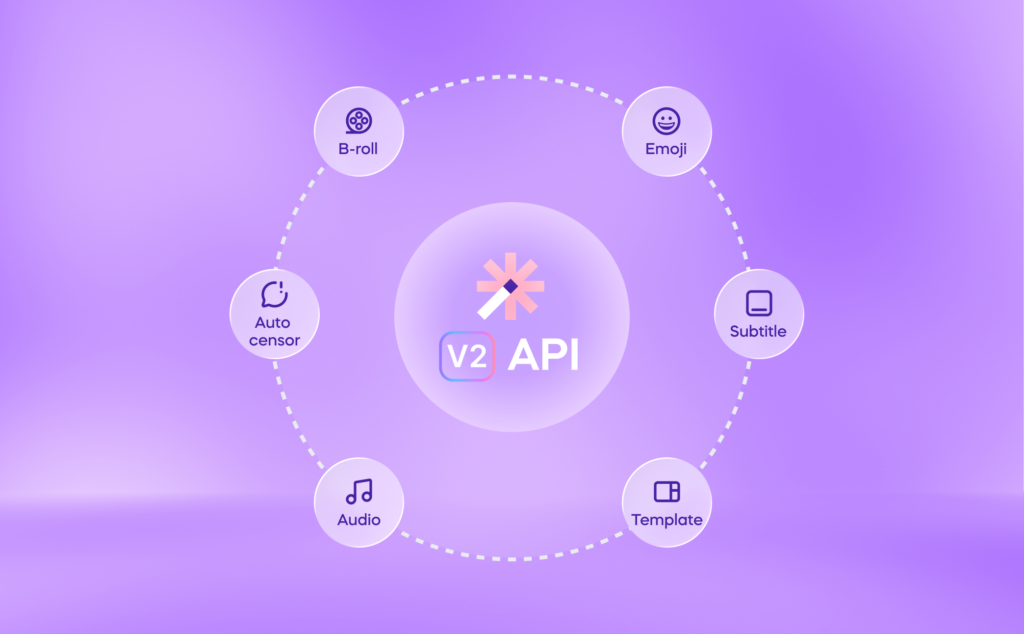
Vizard’s API has been updated to support clip_v2, the second generation of our AI clipping model. You can now specify which clipping model to use when submitting a project via the clipModel parameter — giving you direct control over the quality and behavior of the clips your pipeline produces.
The clipModel Parameter
When creating a project through the API, you can pass clipModel in the request body:
| Value | Description |
|---|---|
clip_v1 | Original AI Clip Model with existing processing and billing logic (default) |
clip_v2 | Next-generation model, charged at 1.25× the v1 rate |
Note: If
clipModelis omitted,clip_v1is used by default. No changes to existing integrations are required.
Why Upgrade to clip_v2?
clip_v2 is built for teams that prioritize output quality over volume. Here’s what changes:
- Higher-quality clips — The model is optimized to surface more meaningful, well-structured highlights from your video.
- More complete clips — Each clip is more coherent and self-contained, reducing the need for manual review or trimming after the fact.
- Fewer total clips — Rather than generating a large number of candidates,
clip_v2returns a tighter, more curated set. This means less noise and less post-processing work for your team.
The tradeoff is a 1.25× billing rate compared to clip_v1. For workflows where quality matters — marketing content, highlight reels, social media publishing — this is typically worth it.
How to Use It
Add "clipModel": "clip_v2" to your existing project creation request. Here’s a full example:
curl -X POST https://elb-api.vizard.ai/hvizard-server-front/open-api/v1/project/create \
  -H "Content-Type: application/json" \
  -H "VIZARDAI_API_KEY: YOUR_API_KEY" \
  -d '{
    "lang": "en",
    "preferLength": [0],
    "videoUrl": "https://www.youtube.com/watch?v=OqLfw-TzzfI",
    "videoType": 2,
    "ratioOfClip": 1,
    "templateId": 52987165,
    "removeSilenceSwitch": 0,
    "maxClipNumber": 10,
    "keyword": "AI, spark, vizard",
    "subtitleSwitch": 1,
    "headlineSwitch": 1,
    "clipModel": "clip_v2",
    "projectName": "Introducing Spark 1.0 – Clip any video with a simple prompt now!"
  }'
The only change from a standard request is the addition of "clipModel": "clip_v2". Everything else remains the same.
Choosing the Right Model
Use clip_v1 when:
- You need maximum clip volume from a single video
- Cost efficiency is the priority
- You’re running high-frequency, batch-processing pipelines
Use clip_v2 when:
- Output quality is critical (e.g., client-facing content, social publishing)
- You want fewer, more polished clips with less manual curation
- You’re working with content where coherence and completeness matter
Billing
clip_v2 is billed at 1.25× the rate of clip_v1. The cost increase reflects the additional compute used to generate higher-fidelity clip selections. You can track usage per project through your existing dashboard.
Backward Compatibility
This update is fully backward-compatible. If your current integration doesn’t include the clipModel field, nothing changes — clip_v1 remains the default. You can adopt clip_v2 on a per-project basis at any time.
Summary
| clip_v1 | clip_v2 | |
|---|---|---|
| Default | ✅ Yes | ❌ No |
| Billing | Standard | 1.25× standard |
| Clip volume | Higher | Lower (more curated) |
| Clip quality | Standard | Optimized |
| Clip completeness | Standard | More complete |
If you have questions about the new model or want help optimizing your integration, reach out to the Vizard developer team or check the API documentation.