Video editing used to mean one thing: a timeline. You dragged clips, trimmed frames, and moved things around until the story made sense. Tools like Premiere Pro, DaVinci Resolve, and Final Cut Pro were built on this model, and for decades, it worked.
AI video agents work completely differently. There is no timeline to drag. There is no clip to trim. There is a text box, and what you type into it determines everything.
This shift is bigger than it looks. It changes what skills matter, what “editing” means, and what separates a good result from a great one. This post breaks down exactly what is different, what you need to learn, and how to get good at it fast.
How Traditional Timeline Editing Works
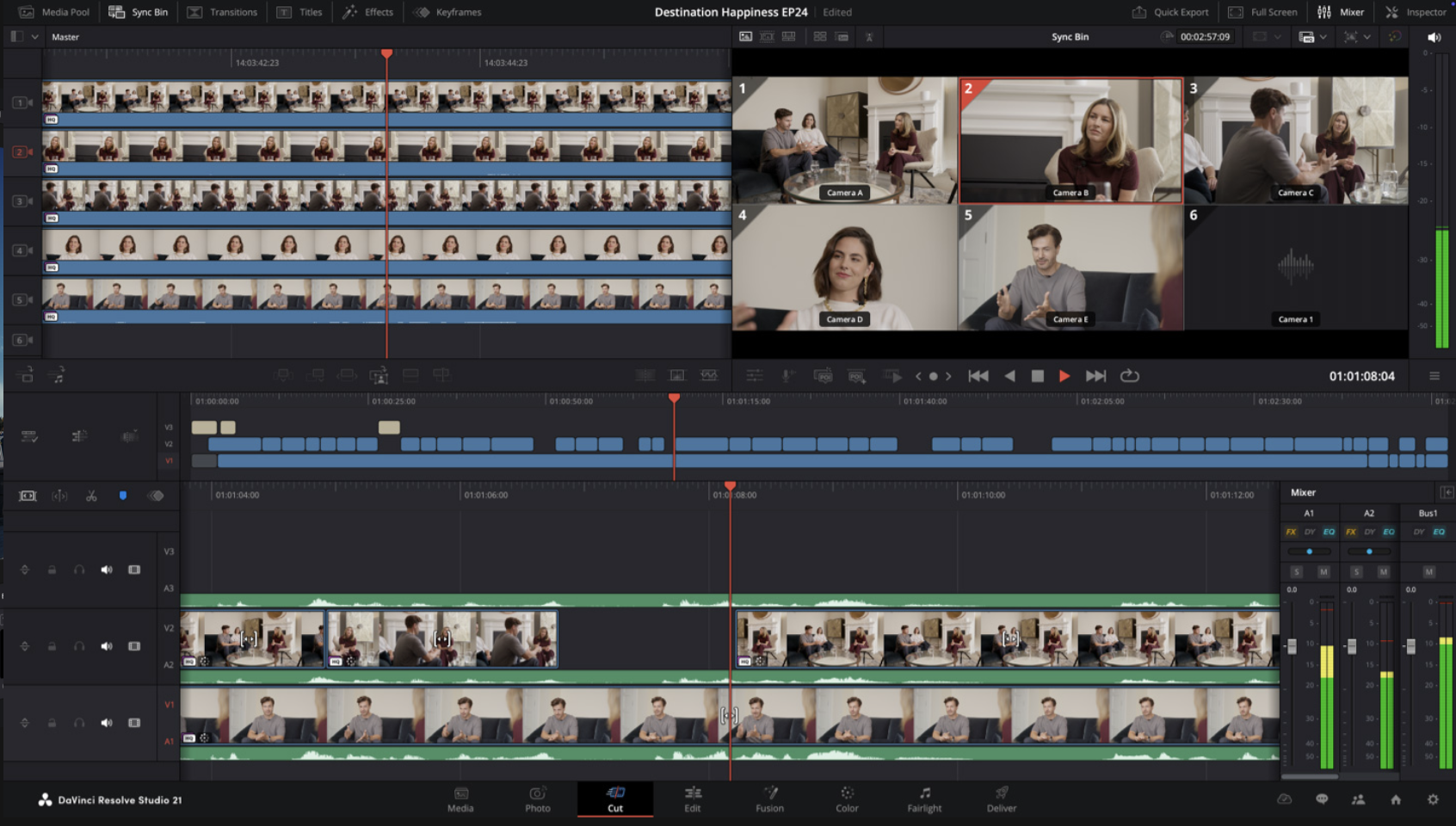
Timeline-based editors put you in direct, manual control of every frame. You see your footage laid out horizontally. You cut here, you move that clip there, you add a transition, you adjust the color on this shot.
The skill you build over time is precision and speed. A great editor knows when a cut is one frame too late. They feel pacing in their hands. They have muscle memory for keyboard shortcuts and a trained eye for what looks right.
That craft is real and valuable. But it has a hard ceiling.
Every decision is manual. Want to change the mood of an entire sequence? You adjust it clip by clip. Want to restructure the narrative? You move things one piece at a time. Want B-roll for a topic you did not film? You stop, search a stock library, download, import, and place it manually.
The tool has no opinion. Traditional software executes what you do to it and nothing more. It does not understand your goal. It cannot suggest a better structure. It will not tell you when your pacing is off. All creative judgment lives entirely with you.
This is why professional video editing takes so long. A polished 5-minute video can take an experienced editor a full day. A 30-minute documentary can take weeks.
How AI Video Agents Work Differently
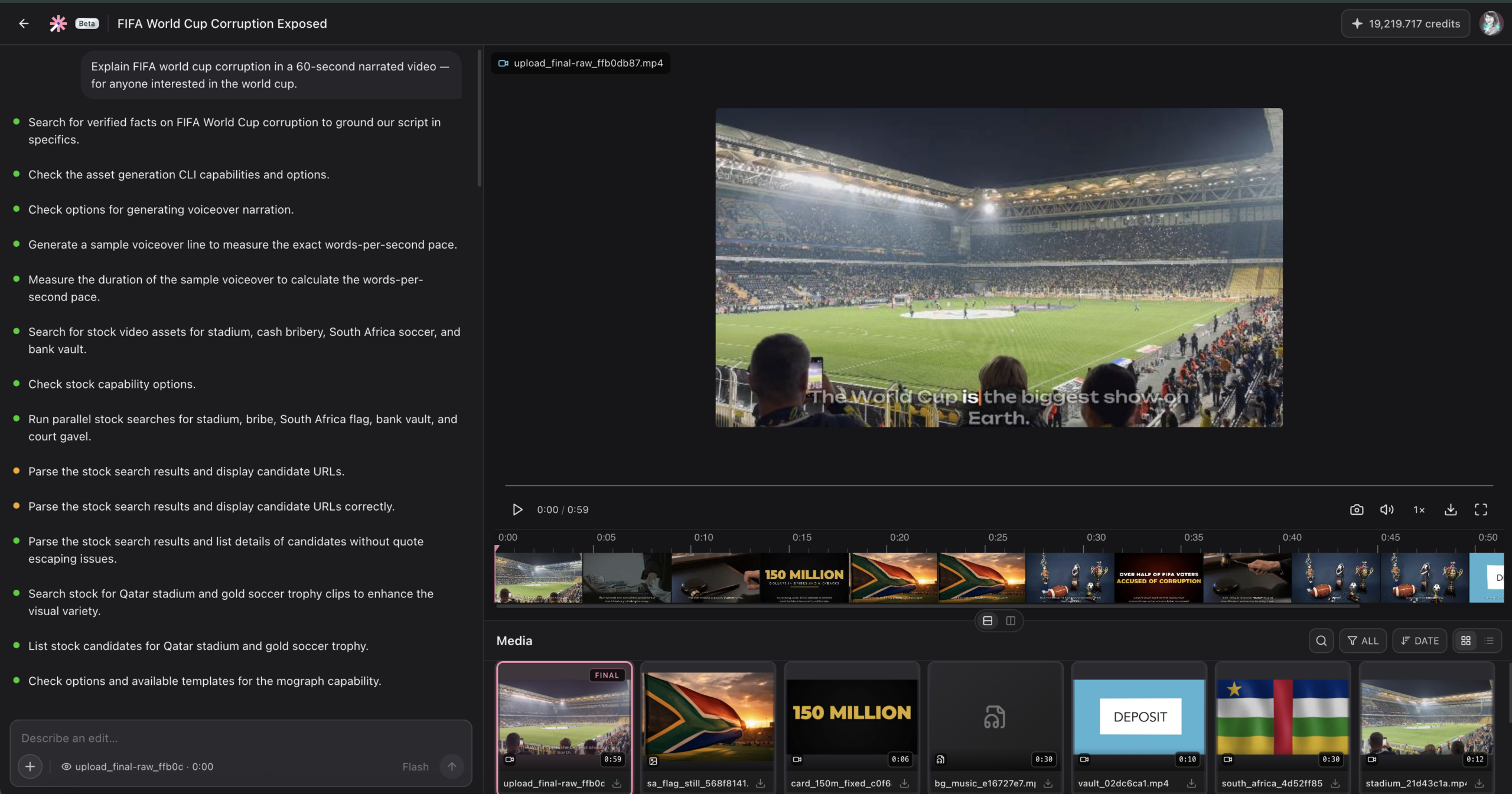
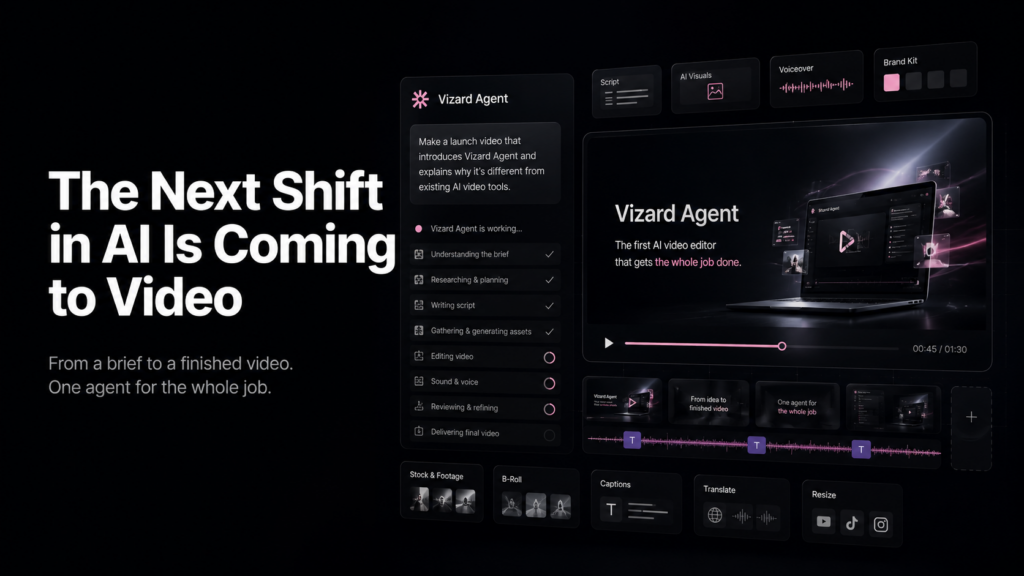
An AI video agent does not wait for you to make decisions. You describe what you want, and the agent reasons about it, plans the execution, and takes action across the entire production.
A tool like Vizard Agent can, from a single prompt:
- Watch your raw footage and identify the best moments
- Build a narrative structure from unorganized clips
- Search for and insert contextually relevant B-roll automatically
- Generate motion graphics and animated effects
- Clean up audio, adjust pacing, and add captions
- Export in multiple aspect ratios for different platforms
Work that takes a skilled editor four to six hours can come back in minutes.
But here is the critical part: the quality of the output depends almost entirely on the quality of your prompt. A vague instruction gets a generic result. A well-written prompt that communicates intent, audience, tone, and structure gets something that feels genuinely tailored and professional.
The tool is powerful. The skill is learning to use language to unlock that power.
The Core New Skill: Translating Visual Ideas into Words
Most people think about video visually, not verbally. You picture a mood, a camera feel, a pace. You do not naturally think “warm low-angle handheld shot with a slow zoom and a muted grade.” You just see it.
Working with AI video agents means making that mental image explicit in language. This is the core new skill, and it is learnable.
Here are the five dimensions you need to describe in any prompt:
1. Mood and tone What emotional register should the video operate in? Words like “urgent,” “contemplative,” “aspirational,” “playful,” or “authoritative” are not vague. They tell the agent how to pace cuts, choose music, and frame visuals.
2. Pacing How fast should the video move? “Quick cuts every two to three seconds” produces something completely different from “slow, breathing edits with space between moments.” Name the rhythm explicitly.
3. Visual style Reference real styles, brands, or aesthetics. “Documentary realism,” “clean tech startup look,” or “feels like a Stripe brand video” instantly communicates a cluster of visual choices that would take paragraphs to describe from scratch.
4. Audience Who is watching? “Senior executives evaluating enterprise software” and “Gen Z creators on TikTok” need completely different versions of the same content. Specifying the audience gives the agent context for every choice it makes.
5. Goal What should the video accomplish? “Explain how our product works” is weaker than “convince skeptical engineers to try our API for the first time.” The more specific the goal, the more aligned the output.
How to Write a Strong Prompt for a Video Agent
Think of a good prompt less like a command and more like a creative brief. Here is a five-part structure that works:
Part 1: State the output goal
Tell the agent what kind of video this is, who it is for, and where it will be published.
Weak: “Make a product video.”
Strong: “Create a 60-second product explainer for LinkedIn, targeting marketing managers at mid-sized B2B companies who have never heard of our tool before.”
Part 2: Describe your source material
Tell the agent what you are working with. If you have footage, describe it. If you want fully AI-generated content, describe the scenes you need.
Weak: “Here are my clips.”
Strong: “I have 12 minutes of screen-recorded product demos and one 3-minute talking-head interview with our CEO. Use the interview for the opening 20 seconds and treat the screen recordings as supporting B-roll throughout.”
Part 3: Define structure and pacing
Give the agent a narrative arc. You do not need every detail, just the key beats.
Weak: “Make it engaging.”
Strong: “Open with a problem statement in the first 10 seconds. Move into the product solution in the middle 40 seconds. Close with a call to action. Keep pacing brisk. No single clip longer than 5 seconds.”
Part 4: Specify visual and audio style
This is where you translate your mental image into language. Use real references when possible.
Weak: “Make it look professional.”
Strong: “Clean modern aesthetic with cool tones and minimal text overlays. Background music should feel like tech startup energy without being clichéd. Think Stripe’s brand videos, not generic enterprise software.”
Part 5: State what to avoid
Negative constraints are just as useful as positive ones. Say explicitly what the agent should not do.
Weak: (leaving this out entirely)
Strong: “Avoid stock footage of people shaking hands or generic office scenes. No music with lyrics. Keep the CEO interview segment under 30 seconds total.”
3 Real Prompt Examples from Video Editing Workflows
Example 1: Cutting a webinar into social media clips
Basic prompt: “Cut this 45-minute webinar into short clips for social media.”
Better prompt: “I have a 45-minute webinar recording. Extract 5 to 7 standalone clips, each between 45 and 90 seconds, optimized for LinkedIn and X. Each clip should contain one complete, self-contained idea with a clear hook in the first 3 seconds and a natural ending. Add captions in a clean sans-serif font. Prioritize moments where the speaker makes a counterintuitive or provocative point. Skip the Q&A section and any moments where the speaker is reading directly from slides.”
Why it works: It defines success criteria, specifies what to look for, tells the agent what to skip, and gives platform context so the agent can make appropriate format decisions.
Example 2: Building a product launch video from scratch
Basic prompt: “Make a launch video for our new app.”
Better prompt: “Create a 90-second product launch video for our new project management app, targeted at creative teams at agencies. Tone should feel confident and energetic, not corporate. Structure: 10-second hook showing the chaos of managing projects without our tool, then 50 seconds of the app interface in action using the screen recordings I’m attaching, then a 30-second close with the product name, tagline, and website URL. Use upbeat instrumental music with forward momentum but no heavy drops or bass. Generate animated transitions between each section. Deliver in 16:9 for YouTube and a 9:16 vertical version for Instagram Reels.”
Why it works: It gives a clear narrative structure with timing, specifies tone with a concrete comparison, handles both human footage and AI generation, and defines multiple output formats upfront.
Example 3: Creating a podcast highlight reel
Basic prompt: “Make a highlight reel from this podcast.”
Better prompt: “From this 55-minute podcast episode about the future of remote work, create a 3-minute highlight reel for YouTube. The guest is a former VP of People at a major tech company. Find the 4 to 5 most quotable moments: prioritize strong opinions, surprising data points, or moments of genuine disagreement between host and guest. Add captions. Apply a subtle zoom-in effect when a key quote lands to add emphasis. Background music should sit very low in the mix, just enough to fill silence between clips.”
Why it works: It gives the agent a clear editorial filter for selecting moments, defines the output format, and describes a specific visual technique for emphasis.
The Mindset Shift: Operator to Director
The most important change video agents require is not technical. It is a shift in how you see your own role.
In traditional editing, you are an operator. Your value comes from precision and speed: how accurately you execute cuts, how fast you move through footage, how well you apply technical adjustments.
With video agents, you are a director. Your value comes from clarity of vision: how well you articulate what you want, how specifically you communicate intent, and how well you recognize when the output is right versus when to iterate.
Directors do not cut footage themselves. They give clear direction and guide the result. Video agents let every creator work at that level, even solo creators without a team.
The adjustment that takes the most getting used to: the work now happens before the tool runs, not inside it.
5 Tips for Getting Better at Prompting
Treat every output as feedback. When a result does not match your expectation, figure out exactly what the agent interpreted differently. That gap is what your next prompt needs to close.
Add specificity in rounds. Start with a solid prompt, review the output, then add more specific constraints on the next pass. This is faster than trying to write a perfect prompt from scratch.
Save prompts that work. When you land on language that reliably gets results, keep it. A personal library of working prompt phrases makes every future session faster.
Use references instead of adjectives. “Professional” tells the agent very little. “Feels like an Apple product video” tells it a great deal about restraint, typography, pacing, and color temperature in just a few words.
Iterate fast. A wrong prompt costs seconds, not hours. Run quickly, review quickly, and adjust. Speed is the advantage; use it.
What You Get When You Get It Right
A well-prompted Vizard Agent session can produce a polished, publish-ready video in a fraction of the time it would take a traditional editing workflow. It sources B-roll you would have spent hours hunting for. It generates motion graphics that would otherwise require a designer. It adapts one piece of content into multiple platform formats at once.
The tool is genuinely powerful. But the output quality is set by the quality of your language, not your editing speed.
That is the new creative skill. It is learnable. And once you have it, the ceiling on what you can produce on your own moves significantly higher.
The best way to build this skill is to start. Take a piece of content you already have, write the most specific prompt you can, and see what comes back. The gap between that first result and what you wanted is exactly what to address in the next prompt.