

NEW
Sora 2是OpenAI的下一代文本到視頻人工智能模型,它將簡單的書面提示轉換為具有同步音頻的逼真視頻剪輯,並改進了對運動和視覺的控制。 集成到Vizard中,黑臉田雞2允許創作者在單個工作流程中生成、提煉和重新利用高質量的人工智能視頻,從而更快、更容易地製作用於社交、營銷和講故事目的的內容。
Sora 2是OpenAI的下一代AI模型,用於從文本創建逼真的視頻,結合了對物理運動、同步聲音和對視覺效果的控制的高級理解,將簡單的書面提示轉化為高質量的動態剪輯。
將書面提示轉換為內容豐富的視頻剪輯,無需攝像機或編輯工具即可輕鬆創建視頻內容。
產生與視覺效果相匹配的對話、音效和環境音頻,實現更豐富的故事講述和電影感。
生成符合真實世界物理和視覺連貫性的運動和場景行為,從而獲得更自然、更可信的輸出。
遵循複雜的多部分提示,更好地遵守說明,包括攝像機移動、場景排序和鏡頭之間的一致性。
接受視覺輸入以及文本來播種或擴展視頻生成,擴大創作靈活性。
能夠根據提示規範製作從電影現實主義到動畫或風格化外觀的各種風格的內容。
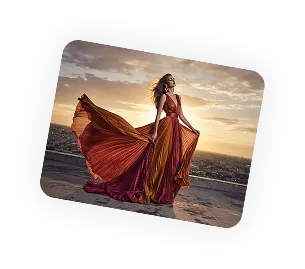
以下是幫助您在Vizard上探索Sora 2的三個簡單步驟:
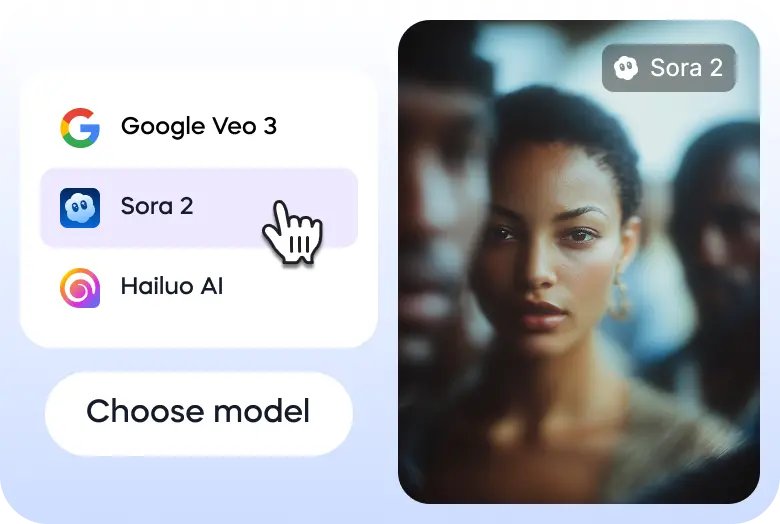
轉到Vizard的文本到視頻生成器,選擇黑臉田雞2模型。
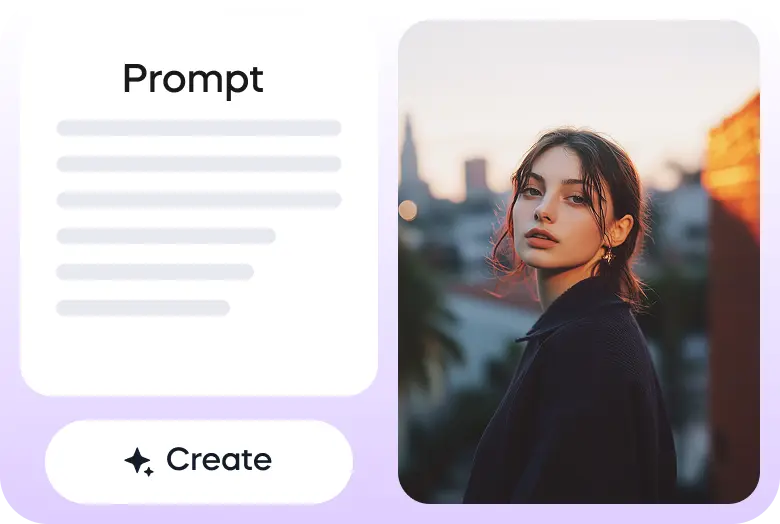
輸入您的提示或上傳您的圖像開始。
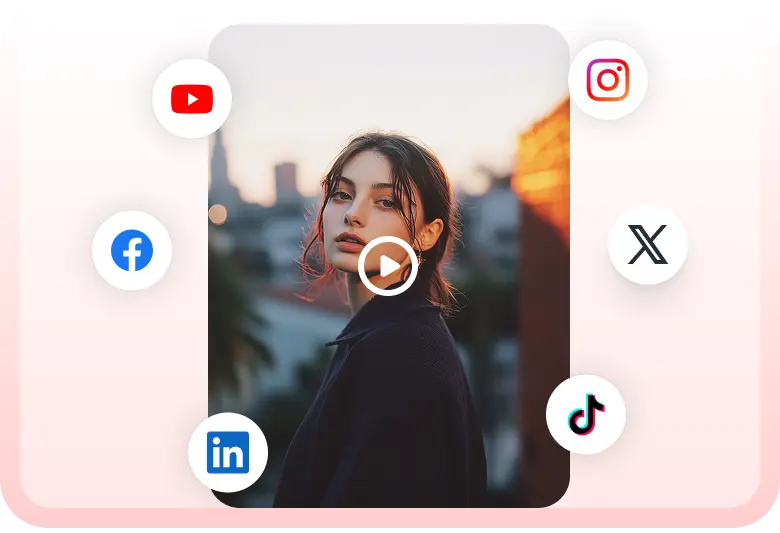
一旦視頻準備好了,你可以直接通過Vizard下載或分享到你的社交媒體賬戶上。


GPT-5 dropped and everyone's rushing to make AI videos. Most will create junk. Because they skip the planning phase.
— Marco - eCom & Performance Creatives (@marcobatt) August 12, 2025
So I just put together the EXACT framework we use for AI video ads:
→ Step-by-step Sora prompt templates (with examples)
→ The 4-emotion system
→ Complete… pic.twitter.com/zMgh4IiAXD
sora image to video, lighting
— Nick St. Pierre (@nickfloats) December 9, 2024
prompt with the image was "push into a cave" pic.twitter.com/fH7x8alwab
What if Medusa walked into the City of the Gods? I built a 33 scene epic AI short film using
— Baby Meme X (@babymemexx) August 13, 2025
Sora for the images
Flow Veo 3 Frame-to-Video for motion
Voiceover + epic orchestral score
Dive into “Medusa and the Golden City” where myth meets AI cinema. pic.twitter.com/sOAt22JPqd
GPT-5 Sora is looking good 🔥
— Michael Rabone (@michaelrabone) August 13, 2025
Prompt + guide in comments
1. Ana de Armas
2. Sydney Sweeney
3. Jenna Ortega
4. Kristen Stewart
5. Margot Robbie (in comment)
6. Jennifer Lawrence (in comment) pic.twitter.com/k7mEieeXgL
Majestic Mountain Glide 👀
— Dev Khanna (@CurieuxExplorer) August 7, 2025
Prompt 301 ⤵️ Test ran a prompt by @umesh_ai using Sorahttps://t.co/8UaVXfavBy pic.twitter.com/igauLXm6cw
Applying lava effect to an uploaded image on Sora and GPT. Kind of fun
— Gadgetify (@Gdgtify) August 13, 2025
<upload image> apply lava-glow cracks across surface following curvature; subject pose and background unchanged pic.twitter.com/U05kEXgclC
sora photorealism 20 sec video output 👀
— Nick St. Pierre (@nickfloats) December 9, 2024
prompt down below pic.twitter.com/VPNXDxleLI
image to video in sora
— Nick St. Pierre (@nickfloats) December 9, 2024
it didnt keep the cyber eyes, but these shots are so clean pic.twitter.com/hQEwOdF3T6
維扎德中的黑臉田雞2是什麼?
黑臉田雞2在Vizard AI Studio中提供,作為高級文本到視頻模型之一,您可以使用它直接從提示生成高質量的視頻,然後在Vizard中編輯、剪輯和重新利用它們。
黑臉田雞2是Vizard AI工作室唯一可用的型號嗎?
不會。除了黑臉田雞2,Vizard AI Studio還支持許多領先的文本到視頻和文本到圖像模型,包括Veo 3、Nano Banana Pro、Kling、Wan 2.2等,所有這些都在一個統一的工作區中。
我如何在Vizard中使用黑臉田雞2和其他型號?
Vizard AI Studio中的所有模型,包括黑臉田雞2,都可以使用Vizard信用訪問。 您可以生成視頻或圖像,而無需切換平台或管理多個訂閱。
免費用戶可以在Vizard中訪問黑臉田雞2嗎?
是的。 每個免費用戶都會獲得免費的Vizard積分,可以用來在AI Studio中試用黑臉田雞2和其他支持的模型。
我可以將黑臉田雞2與同一項目中的其他型號進行比較嗎?
是的。 您可以使用Sora 2、Veo 3、Kling或其他型號生成相同的提示,比較結果,並選擇滿足您創意或市場需求的最佳輸出。
在Vizard生成一個Sora 2視頻后我能做什麼?
使用Vizard的完整視頻編輯和自動化工作流程,您可以編輯、修剪、添加字幕、調整大小和重新利用黑臉田雞2視頻,用於社交媒體、廣告和多平台分發。
Sora 2是OpenAI的下一代AI模型,用於從文本創建逼真的視頻,結合了對物理運動、同步聲音和對視覺效果的控制的高級理解,將簡單的書面提示轉化為高質量的動態剪輯。
將書面提示轉換為內容豐富的視頻剪輯,無需攝像機或編輯工具即可輕鬆創建視頻內容。
產生與視覺效果相匹配的對話、音效和環境音頻,實現更豐富的故事講述和電影感。
生成符合真實世界物理和視覺連貫性的運動和場景行為,從而獲得更自然、更可信的輸出。
遵循複雜的多部分提示,更好地遵守說明,包括攝像機移動、場景排序和鏡頭之間的一致性。
接受視覺輸入以及文本來播種或擴展視頻生成,擴大創作靈活性。
能夠根據提示規範製作從電影現實主義到動畫或風格化外觀的各種風格的內容。
以下是幫助您在Vizard上探索Sora 2的三個簡單步驟:
轉到Vizard的文本到視頻生成器,選擇黑臉田雞2模型。
輸入您的提示或上傳您的圖像開始。
一旦視頻準備好了,你可以直接通過Vizard下載或分享到你的社交媒體賬戶上。
GPT-5 dropped and everyone's rushing to make AI videos. Most will create junk. Because they skip the planning phase.
— Marco - eCom & Performance Creatives (@marcobatt) August 12, 2025
So I just put together the EXACT framework we use for AI video ads:
→ Step-by-step Sora prompt templates (with examples)
→ The 4-emotion system
→ Complete… pic.twitter.com/zMgh4IiAXD
sora image to video, lighting
— Nick St. Pierre (@nickfloats) December 9, 2024
prompt with the image was "push into a cave" pic.twitter.com/fH7x8alwab
What if Medusa walked into the City of the Gods? I built a 33 scene epic AI short film using
— Baby Meme X (@babymemexx) August 13, 2025
Sora for the images
Flow Veo 3 Frame-to-Video for motion
Voiceover + epic orchestral score
Dive into “Medusa and the Golden City” where myth meets AI cinema. pic.twitter.com/sOAt22JPqd
GPT-5 Sora is looking good 🔥
— Michael Rabone (@michaelrabone) August 13, 2025
Prompt + guide in comments
1. Ana de Armas
2. Sydney Sweeney
3. Jenna Ortega
4. Kristen Stewart
5. Margot Robbie (in comment)
6. Jennifer Lawrence (in comment) pic.twitter.com/k7mEieeXgL
Majestic Mountain Glide 👀
— Dev Khanna (@CurieuxExplorer) August 7, 2025
Prompt 301 ⤵️ Test ran a prompt by @umesh_ai using Sorahttps://t.co/8UaVXfavBy pic.twitter.com/igauLXm6cw
Applying lava effect to an uploaded image on Sora and GPT. Kind of fun
— Gadgetify (@Gdgtify) August 13, 2025
<upload image> apply lava-glow cracks across surface following curvature; subject pose and background unchanged pic.twitter.com/U05kEXgclC
sora photorealism 20 sec video output 👀
— Nick St. Pierre (@nickfloats) December 9, 2024
prompt down below pic.twitter.com/VPNXDxleLI
image to video in sora
— Nick St. Pierre (@nickfloats) December 9, 2024
it didnt keep the cyber eyes, but these shots are so clean pic.twitter.com/hQEwOdF3T6
維扎德中的黑臉田雞2是什麼?
黑臉田雞2在Vizard AI Studio中提供,作為高級文本到視頻模型之一,您可以使用它直接從提示生成高質量的視頻,然後在Vizard中編輯、剪輯和重新利用它們。
黑臉田雞2是Vizard AI工作室唯一可用的型號嗎?
不會。除了黑臉田雞2,Vizard AI Studio還支持許多領先的文本到視頻和文本到圖像模型,包括Veo 3、Nano Banana Pro、Kling、Wan 2.2等,所有這些都在一個統一的工作區中。
我如何在Vizard中使用黑臉田雞2和其他型號?
Vizard AI Studio中的所有模型,包括黑臉田雞2,都可以使用Vizard信用訪問。 您可以生成視頻或圖像,而無需切換平台或管理多個訂閱。
免費用戶可以在Vizard中訪問黑臉田雞2嗎?
是的。 每個免費用戶都會獲得免費的Vizard積分,可以用來在AI Studio中試用黑臉田雞2和其他支持的模型。
我可以將黑臉田雞2與同一項目中的其他型號進行比較嗎?
是的。 您可以使用Sora 2、Veo 3、Kling或其他型號生成相同的提示,比較結果,並選擇滿足您創意或市場需求的最佳輸出。
在Vizard生成一個Sora 2視頻后我能做什麼?
使用Vizard的完整視頻編輯和自動化工作流程,您可以編輯、修剪、添加字幕、調整大小和重新利用黑臉田雞2視頻,用於社交媒體、廣告和多平台分發。









