

NEW
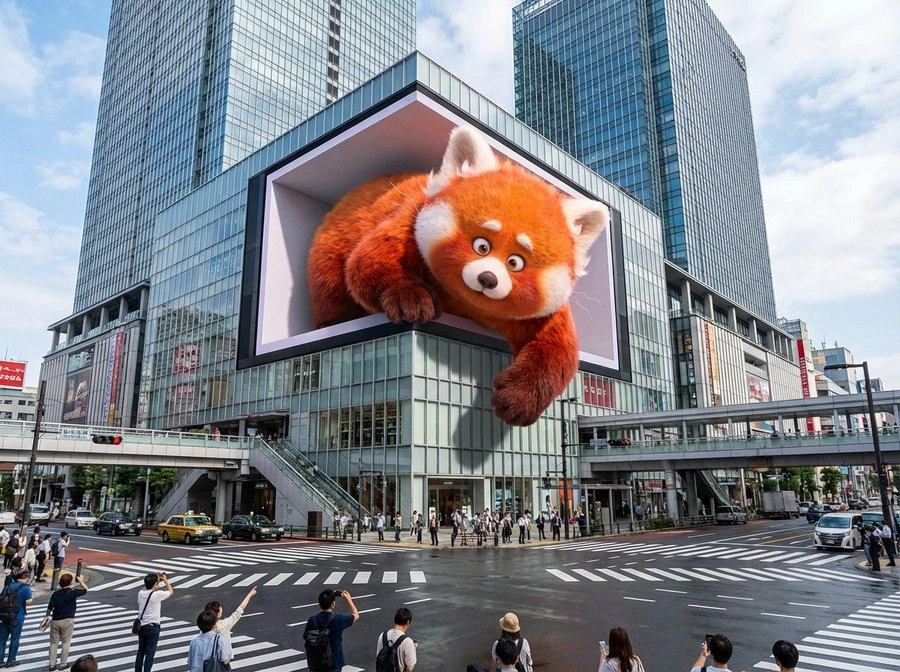
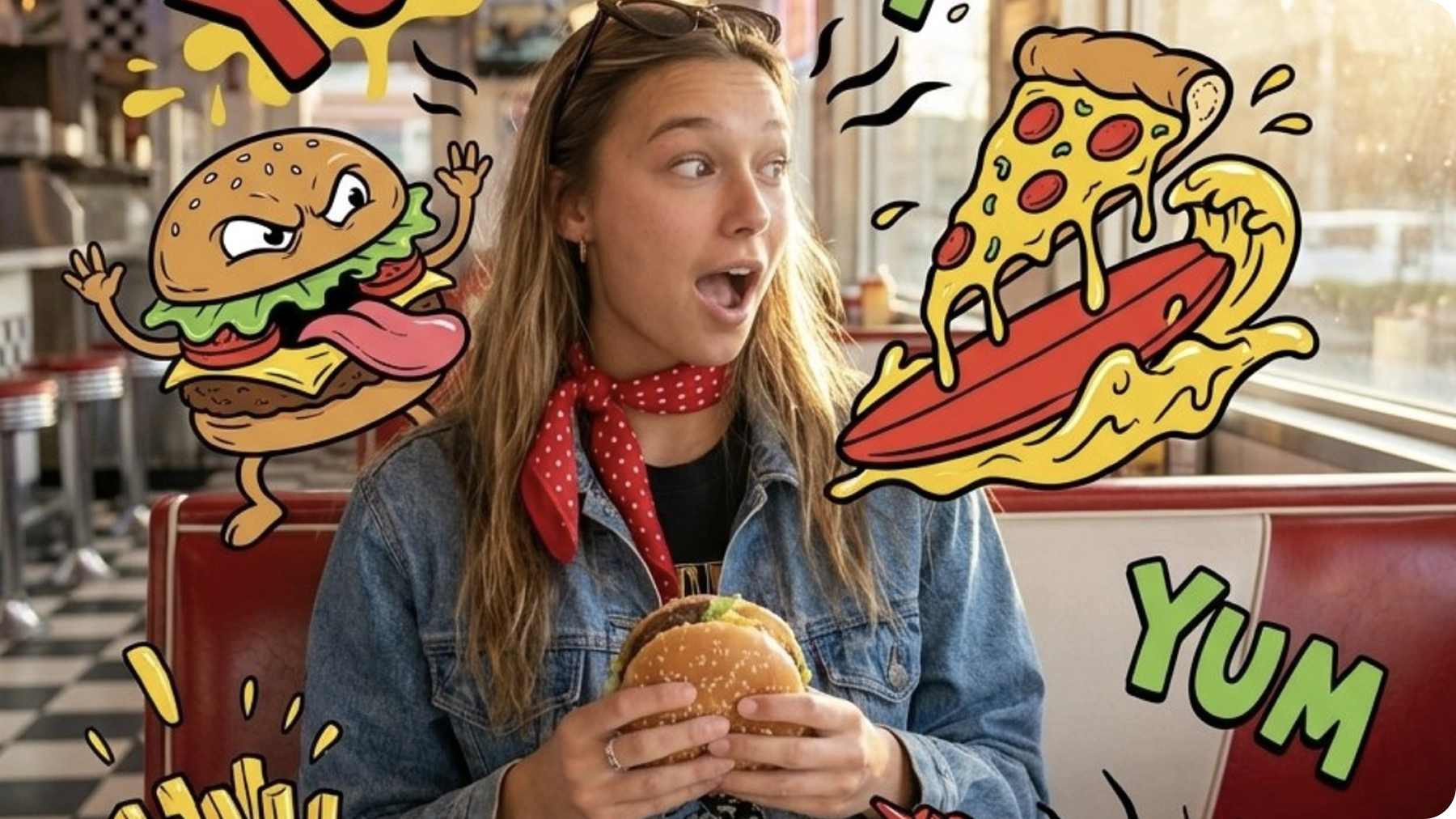
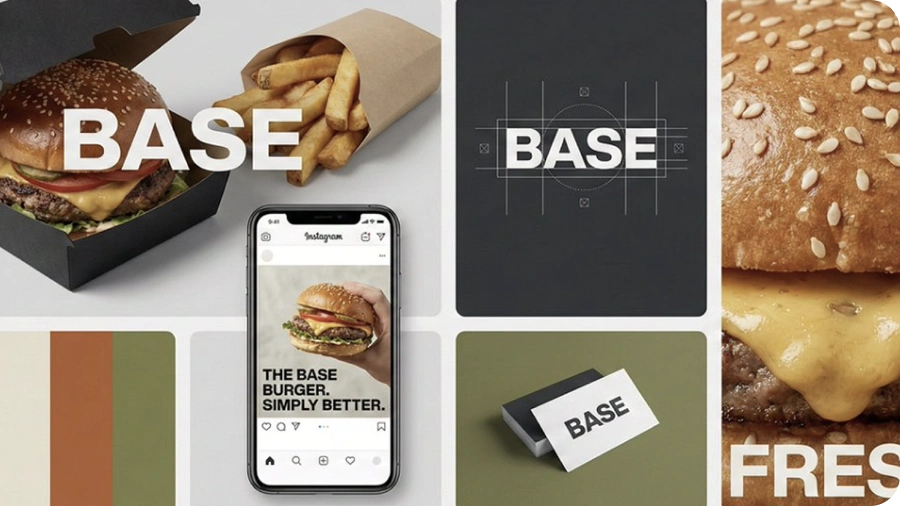
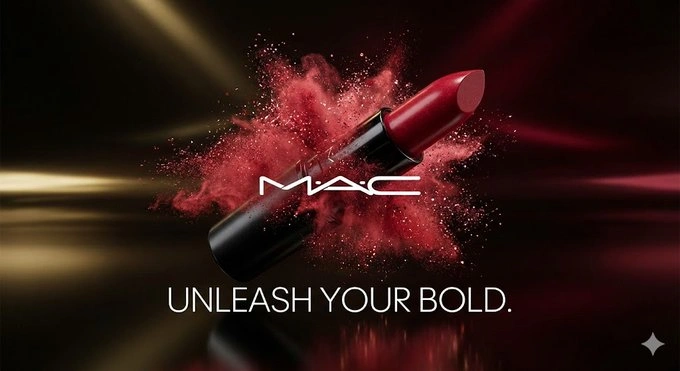

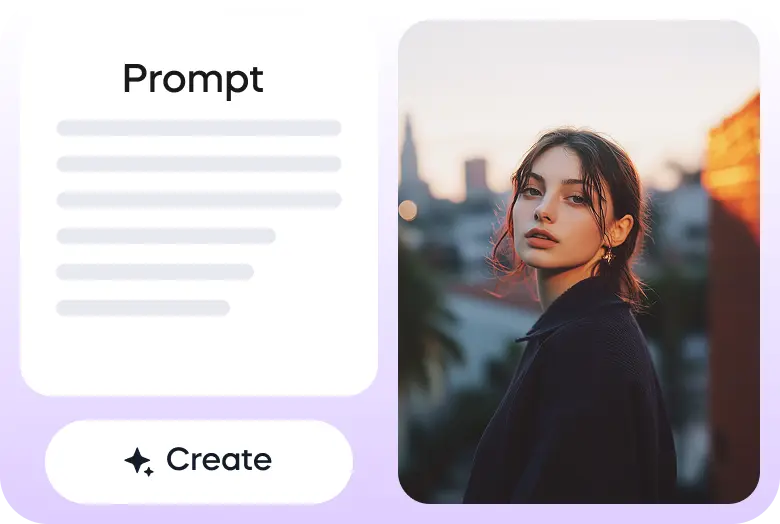
Vizard पर Nano Banana Pro के साथ बनाना शुरू करने के लिए तीन सरल कदम:
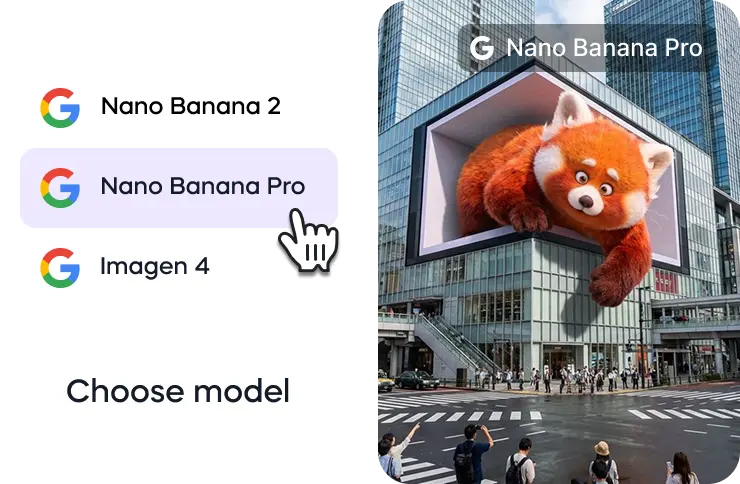
विजार्ड के एआई इमेज जेनरेटर पर जाएं और उपलब्ध इमेज जेनरेशन मॉडल में से नैनो बनाना प्रो मॉडल चुनें ।
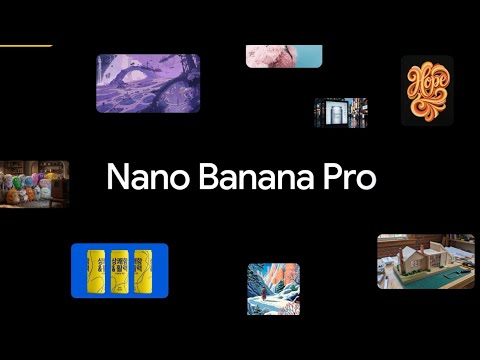
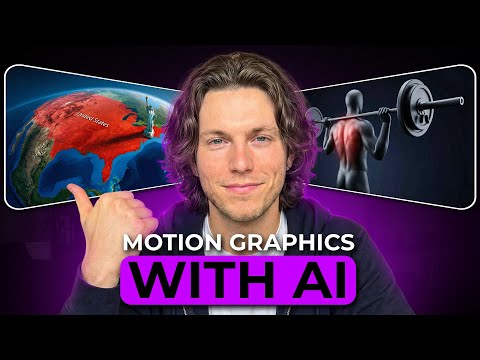
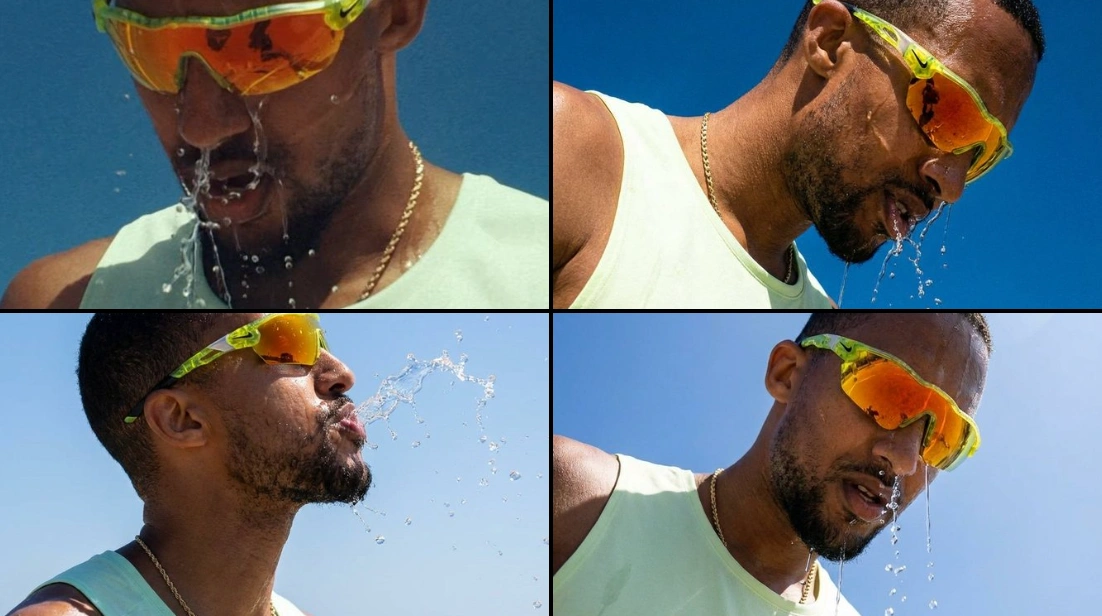
Turn one image into an entire photoshoot.
— Google Gemini (@GeminiApp) December 29, 2025
Edit the angle, lighting, lens and so much more with Nano Banana Pro.
See a room come together with Nano Banana Pro.
— Google Gemini (@GeminiApp) January 8, 2026
Upload a photo of the room you’re working on, then upload pics of those wish list items and watch the magic come to life.
More ingredients. More control. 🍌
— Flow by Google (@FlowbyGoogle) December 4, 2025
With Nano Banana Pro in Flow, you can now include up to 10 ingredients when generating an image. This means more consistency and more creative control over your outputs when you use your image with Frames to Video.
See this in action for… pic.twitter.com/YwWr0QyLt6
We just dropped Nano Banana Pro, built on Gemini 3. 🍌
— Google DeepMind (@GoogleDeepMind) November 20, 2025
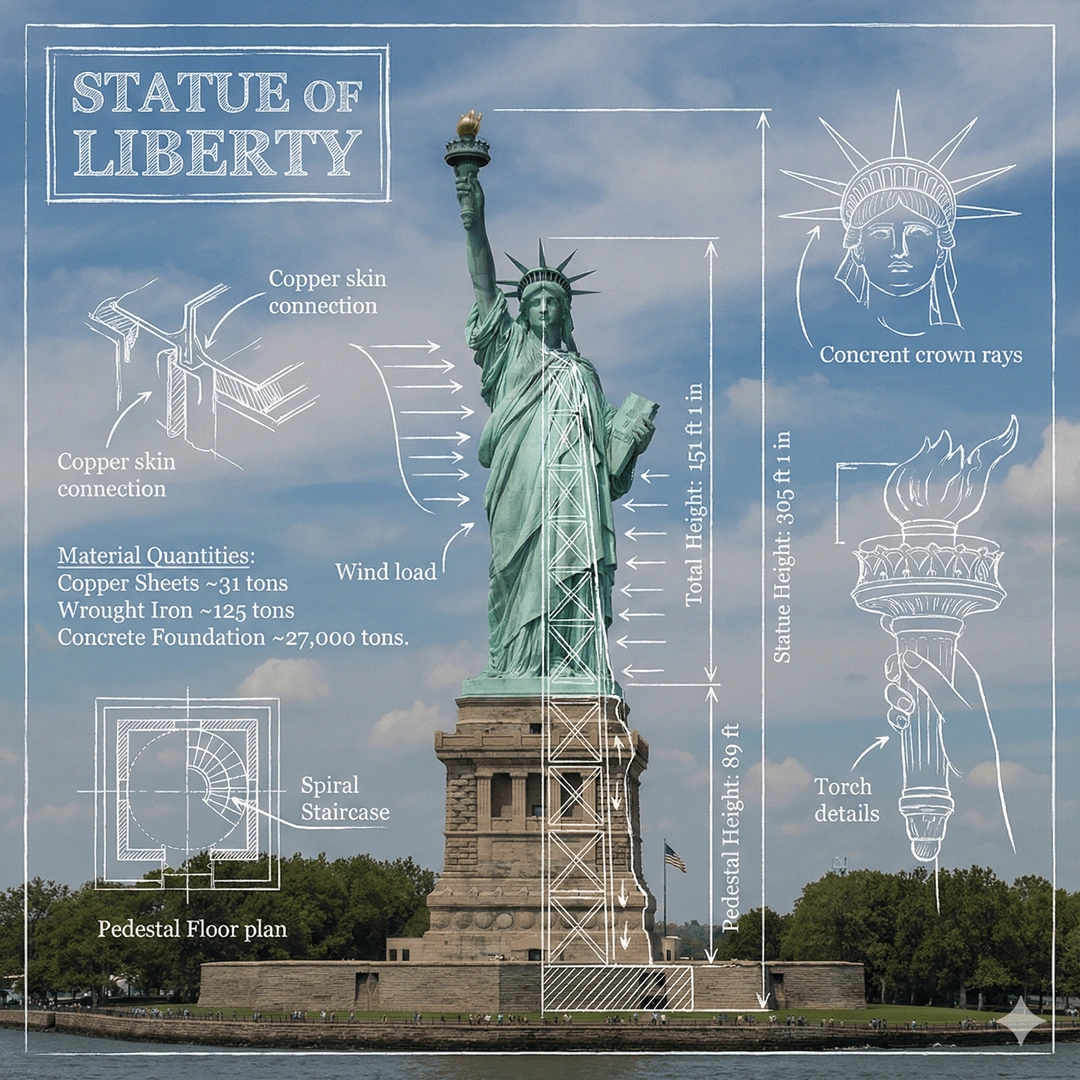
With state-of-the-art text rendering, vast world knowledge and studio-quality creative controls, Gemini 3 Pro Image can create and edit more complex visuals, infographics and more. Here’s what’s under the hood. 🧵 pic.twitter.com/x8fTe6pcmO
Have you tried prompting with the word "risograph"? It makes a cool effect.
— Nano Banana 2 (@NanoBanana) January 15, 2026
Prompt: Create a collection of icons representing [a theme], they belong together as a single theme. Put them in a 2x2 grid (no lines). The background is pure white. Make the icons as risograph prints.… https://t.co/enkWeqHLkh pic.twitter.com/gqhLBPtMXR
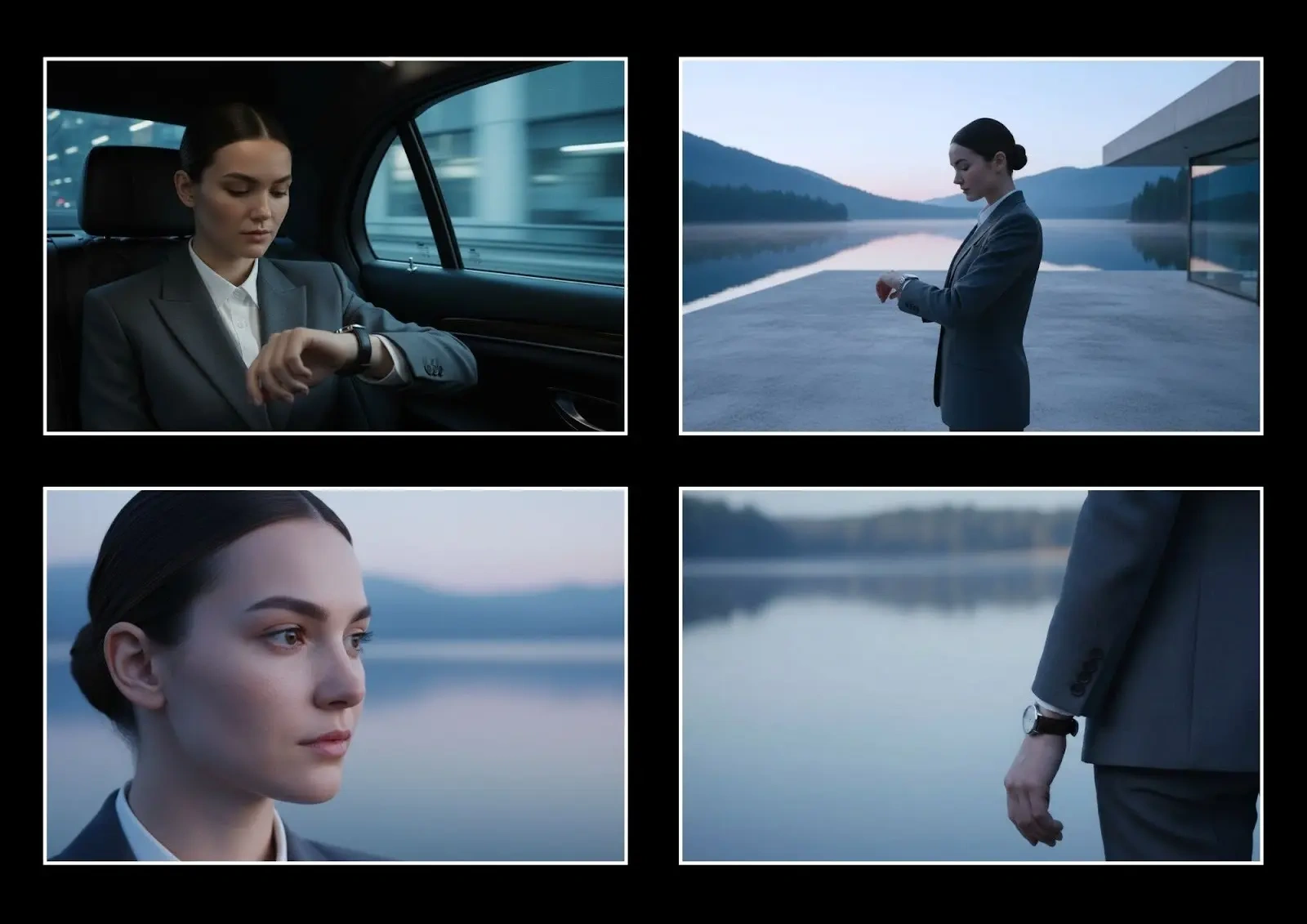
With Nano Banana Pro in Flow, you have the control to design and curate the setting, refine the details, and visualize the camera angles.
— Flow by Google (@FlowbyGoogle) January 5, 2026
Get the shot just as you pictured it.
See it in action.👇 pic.twitter.com/e0pybrJWVw
You can now turn your sources into cinematic video explainers in @NotebookLM 📽️
— Google (@Google) March 6, 2026
It uses our most advanced models like Gemini 3, Nano Banana Pro and Veo 3, to animate the visual story behind your sources.
Here’s a Cinematic Video Overview explaining... Cinematic Video Overviews… pic.twitter.com/Mrn1iqcXi3
Here’s how it works:
— Google DeepMind (@GoogleDeepMind) January 29, 2026
🔵 Design your world and character using text and visual prompts.
🔵 Nano Banana Pro makes an image preview that you can adjust.
🔵 Our Genie 3 world model generates the environment in real-time as you move through.
🔵 Remix existing worlds or discover new… pic.twitter.com/LiebMe2H9n
नैनो बनाना प्रो क्या है?
नैनो बनाना प्रो (जेमिनी 3 प्रो इमेज) गूगल डीपमाइंड का अत्याधुनिक इमेज जेनरेशन और एडिटिंग मॉडल है जो जेमिनी 3 प्रो पर बनाया गया है । यह जटिल, उच्च-निष्ठा कार्यों के लिए डिज़ाइन किया गया है जहां गुणवत्ता, तथ्यात्मक सटीकता और रचनात्मक नियंत्रण सबसे महत्वपूर्ण हैं ।
नैनो बनाना प्रो और नैनो बनाना 2 में क्या अंतर है?
नैनो बनाना प्रो अधिकतम गुणवत्ता, तर्क गहराई और तथ्यात्मक सटीकता को प्राथमिकता देता है । नैनो बनाना 2 (मिथुन 3.1 फ्लैश इमेज) मिथुन फ्लैश की गति के साथ नैनो बनाना प्रो की उन्नत सुविधाओं को जोड़ता है, जिससे यह तेजी से पुनरावृत्ति और रोजमर्रा के कार्यप्रवाह के लिए बेहतर विकल्प बन जाता है । पूर्ण निष्ठा की आवश्यकता वाले विशेष कार्यों के लिए, प्रो मजबूत विकल्प बना हुआ है ।
नैनो बनाना प्रो किस रिज़ॉल्यूशन का समर्थन करता है?
यूजर्स नैनो बनाना प्रो के साथ कई आस्पेक्ट रेशियो में 2K या 4K इमेज जेनरेट कर सकते हैं । यह इसे प्रिंट-तैयार परिसंपत्तियों, बड़े प्रारूप के दृश्यों और उत्पादन-ग्रेड डिलीवरेबल के लिए उपयुक्त बनाता है ।
14 संदर्भ छवि इनपुट कैसे काम करता है?
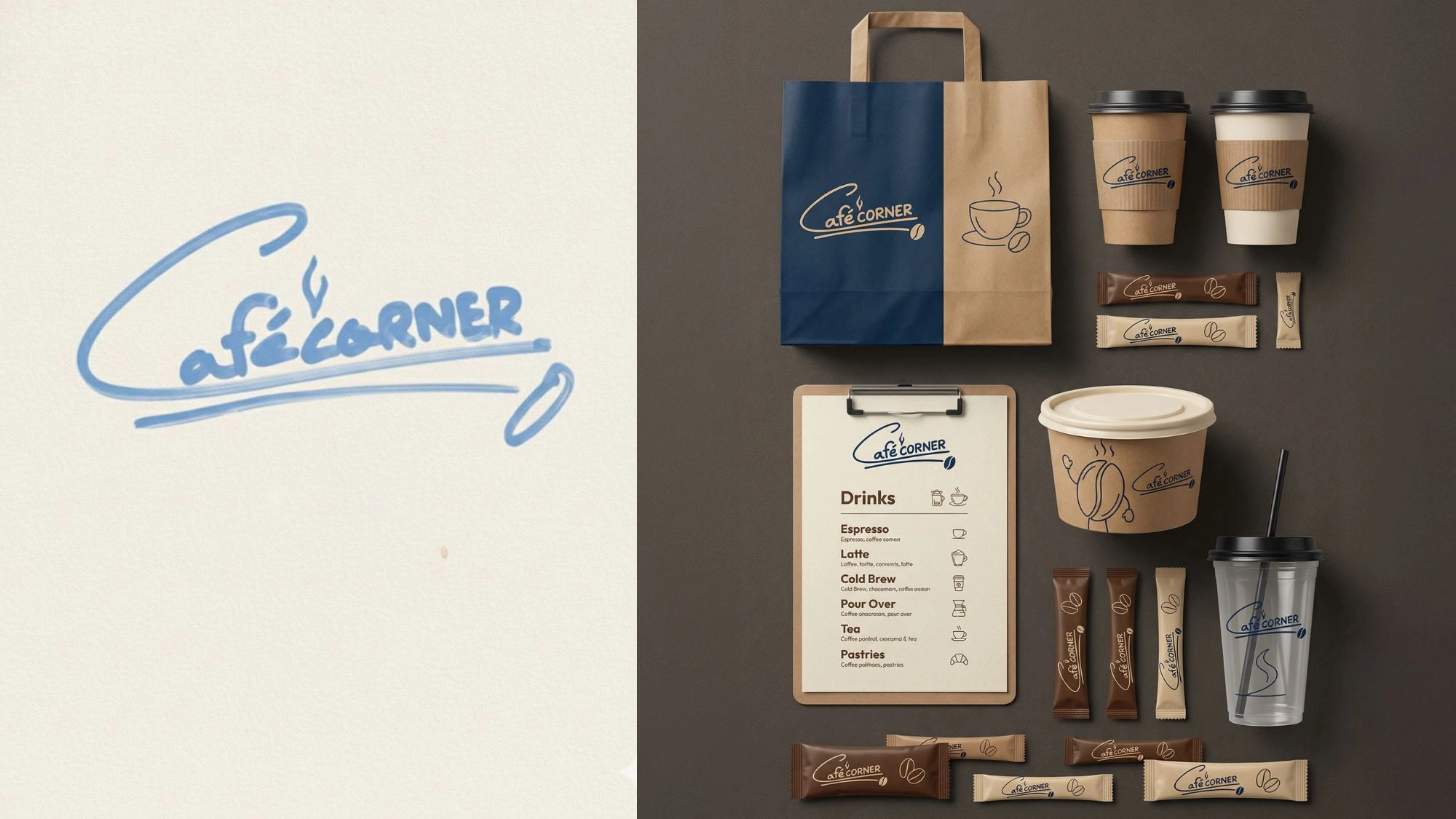
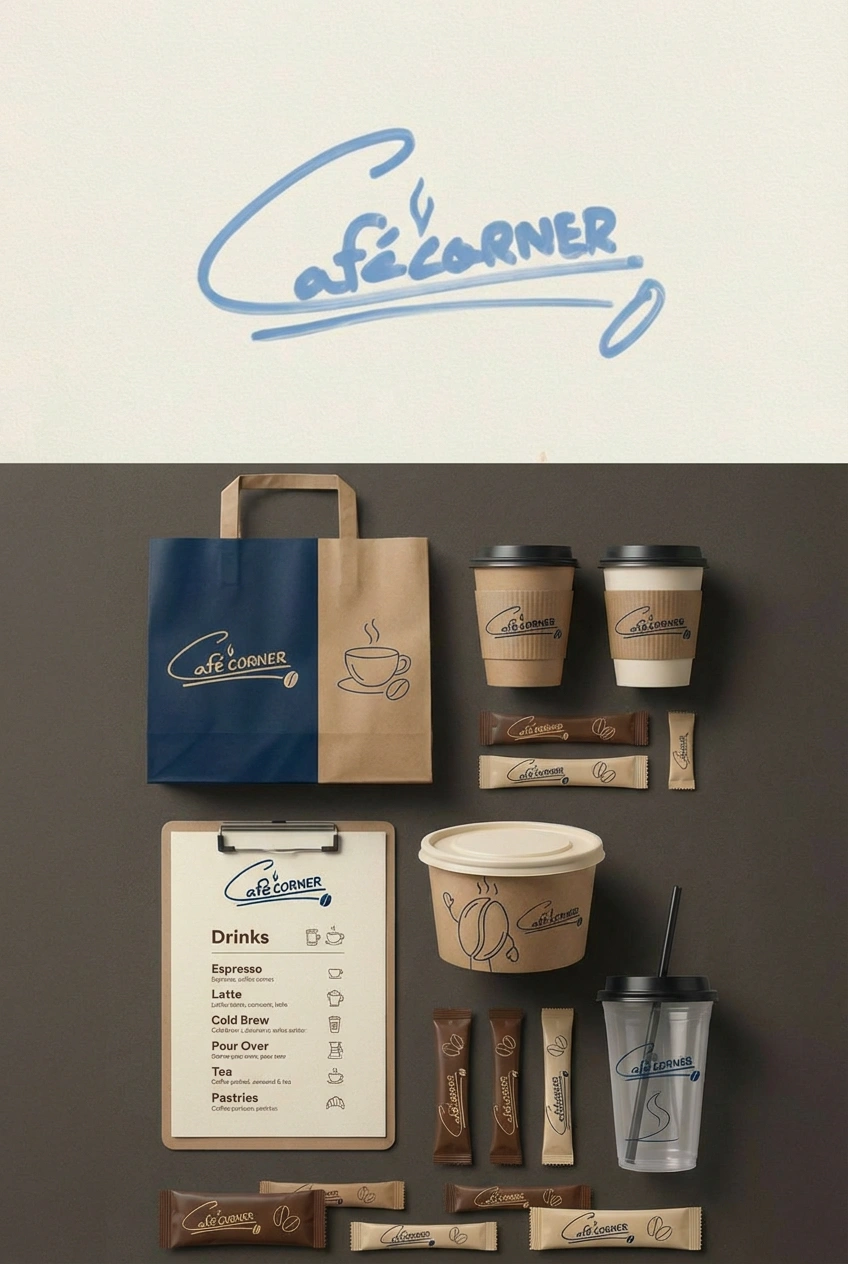
14 संदर्भ छवियों तक अपलोड करके, आप एक साथ एक पूर्ण शैली गाइड लोड कर सकते हैं - जिसमें लोगो, रंग पैलेट, चरित्र टर्नराउंड और उत्पाद शॉट शामिल हैं । मॉडल आपके आउटपुट को ऑन-ब्रांड और नेत्रहीन रूप से सुसंगत रखने के लिए संदर्भ के रूप में उपयोग करता है ।
क्या नैनो केला प्रो छवियों के अंदर सटीक पाठ उत्पन्न कर सकता है?
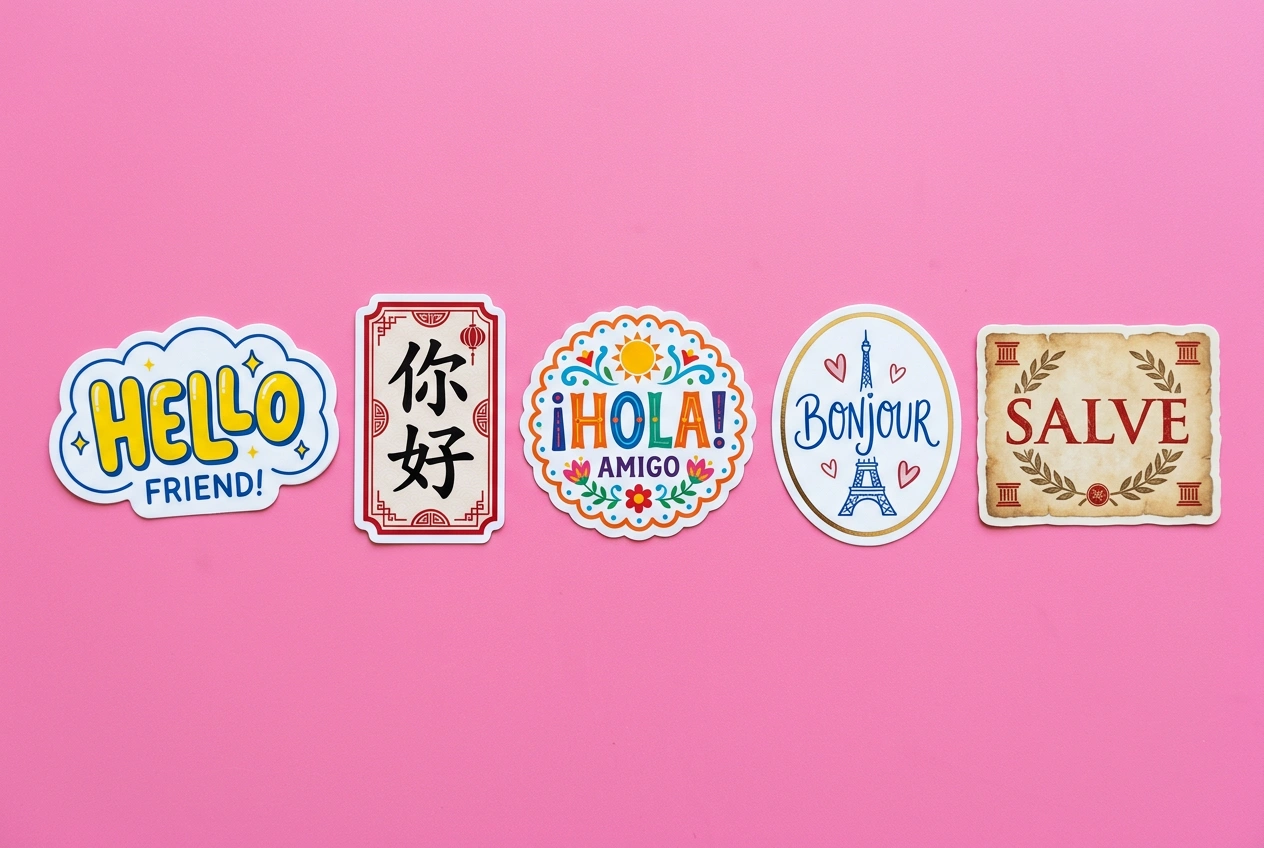
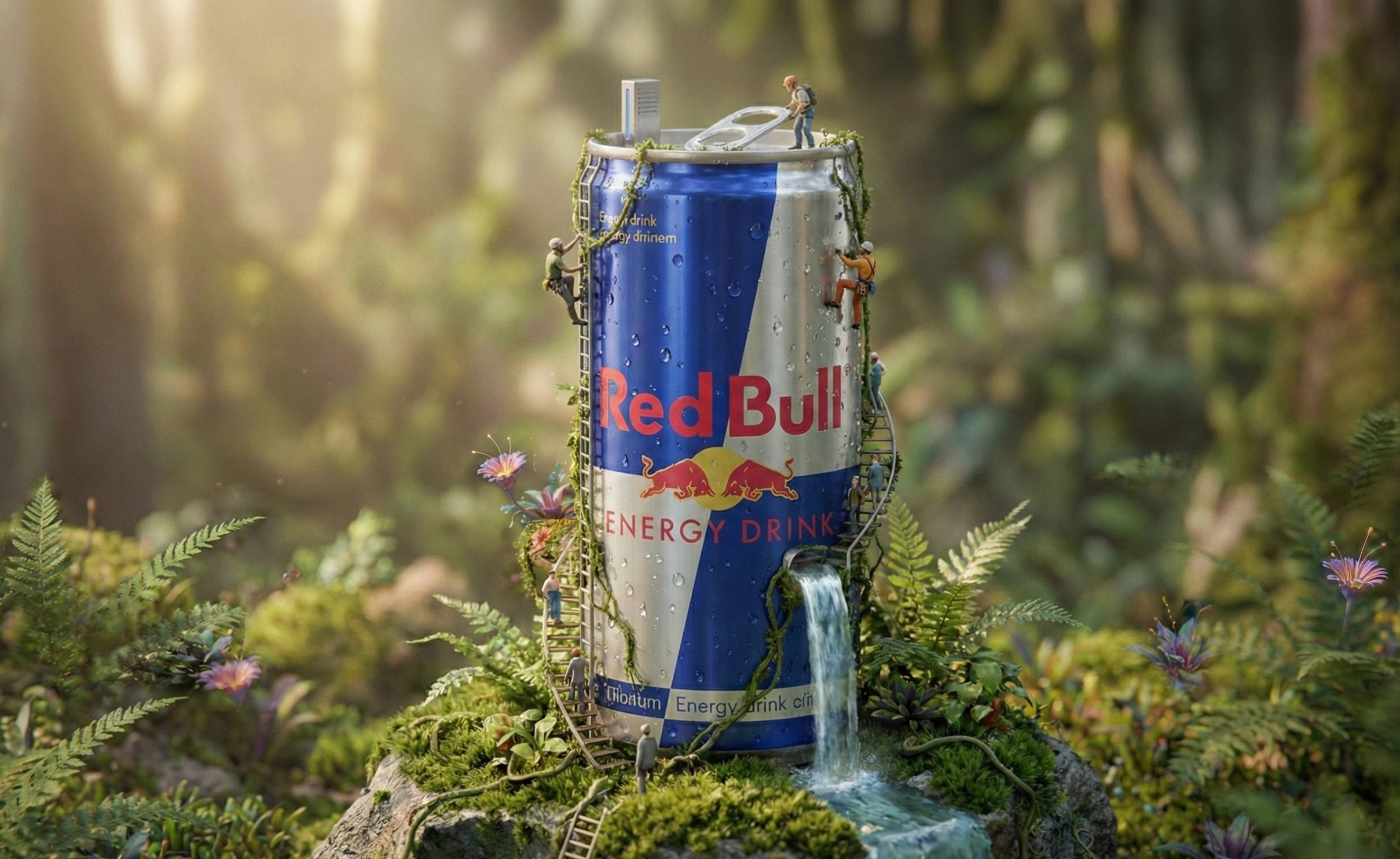
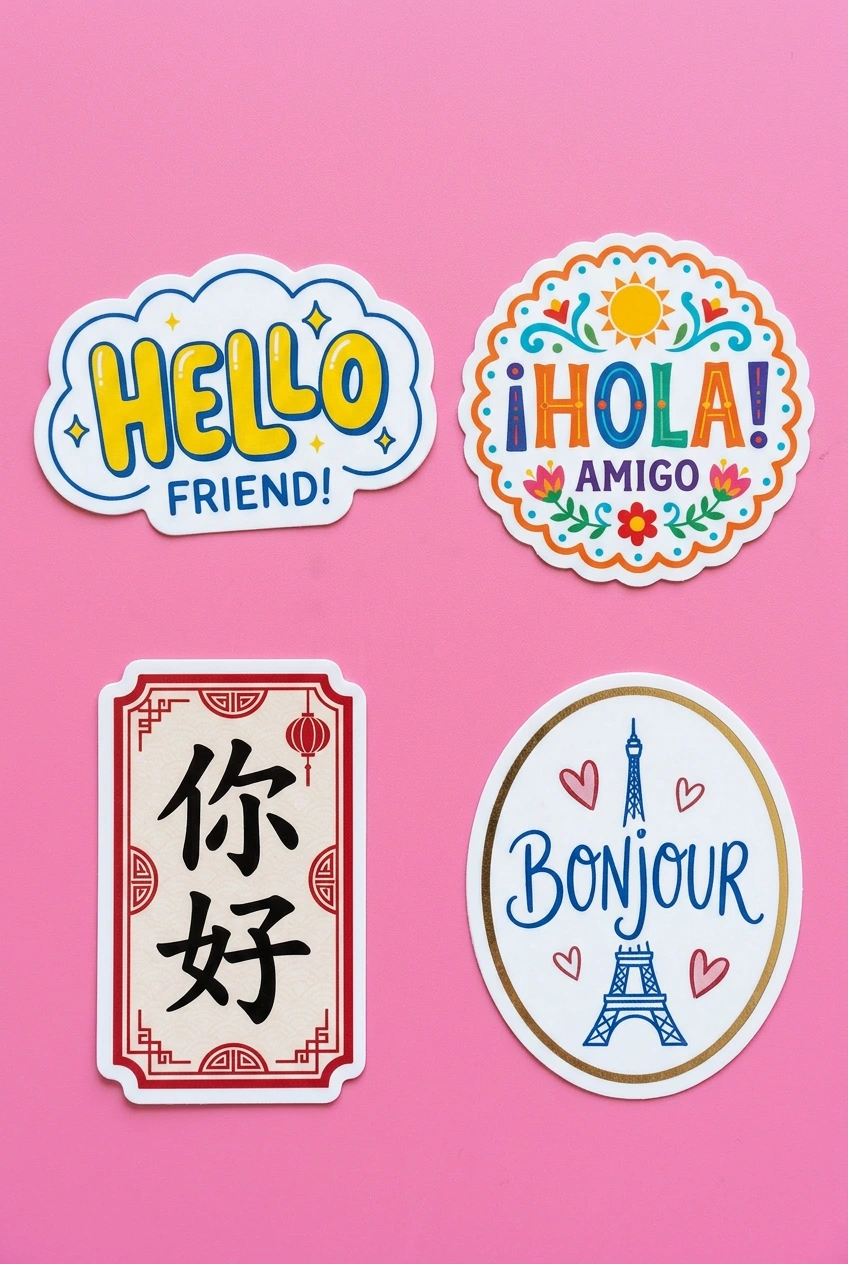
हाँ । मॉडल अधिक विस्तृत छवियों और सटीक पाठ बनाने और विभिन्न शैलियों, फोंट और भाषाओं में पाठ उत्पन्न करने की क्षमता के साथ अपने पूर्ववर्ती पर सुधार करता है । यह स्वच्छ sans-serif लेबल से लेकर विस्तृत टाइपोग्राफिक कला तक सब कुछ संभालता है ।
क्या मैं मौजूदा छवि के अंदर पाठ का अनुवाद कर सकता हूं?
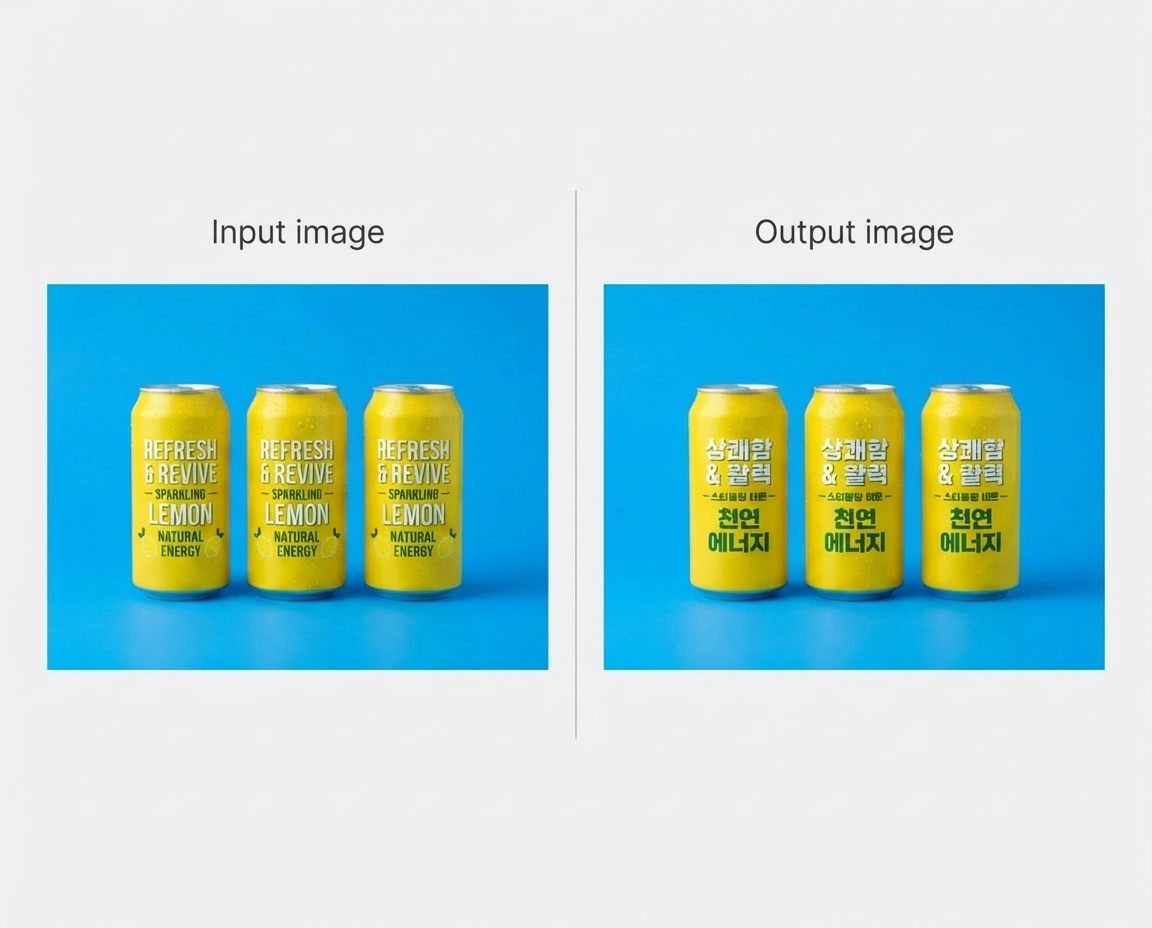
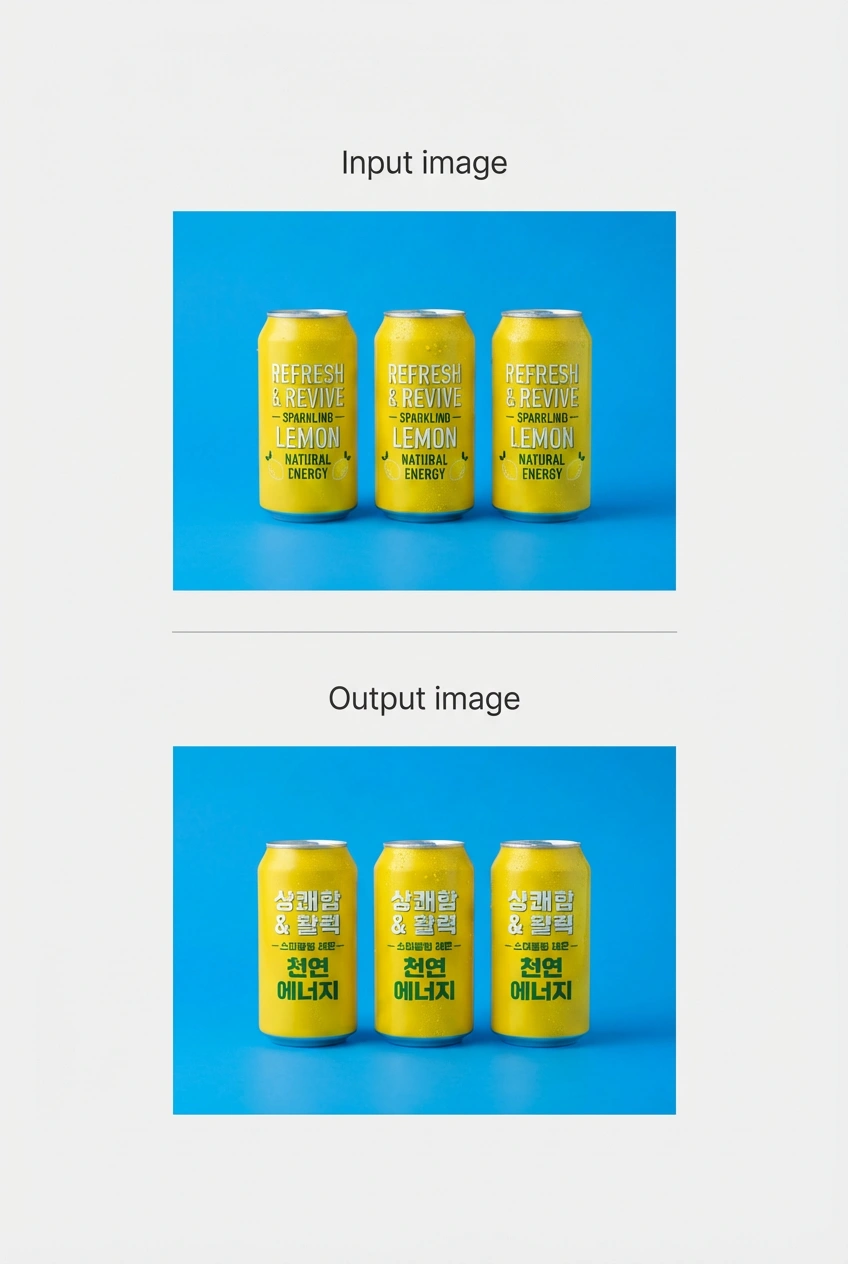
हाँ । आप एक छवि ले सकते हैं और उसके अंदर पाठ का अनुवाद कर सकते हैं, इसलिए आपका रचनात्मक कार्य अन्य देशों के लिए तुरंत तैयार है । यह विशेष रूप से उत्पाद पैकेजिंग, विज्ञापन और साइनेज के लिए उपयोगी है जिन्हें कई बाजारों में काम करने की आवश्यकता होती है ।
मैं विजार्ड पर नैनो बनाना प्रो कहां से एक्सेस कर सकता हूं?
विजार्ड एआई स्टूडियो खोलें, मॉडल पिकर से नैनो बनाना प्रो का चयन करें, और जनरेट करना शुरू करें । आप संदर्भ छवियों को अपलोड कर सकते हैं, विस्तृत संकेत लिख सकते हैं, और पहलू अनुपात को समायोजित कर सकते हैं - सभी एक ही इंटरफ़ेस में जिसे आप Veo 3, Kling 3.0 और बाकी मॉडल लाइब्रेरी के लिए उपयोग करते हैं ।
क्या मुझे नैनो बनाना प्रो का उपयोग करने के लिए भुगतान किए गए विजार्ड प्लान की आवश्यकता है?
आप सीमित संख्या में पीढ़ियों के साथ नैनो केला प्रो मुफ्त में आज़मा सकते हैं । सशुल्क योजनाएं अधिक पीढ़ियों, तेज प्रसंस्करण और नैनो बनाना 2, वीओ 3, क्लिंग 3.0 और सोरा 2 सहित पूर्ण विजार्ड मॉडल लाइनअप तक पहुंच को अनलॉक करती हैं ।
क्या मैं वाणिज्यिक परियोजनाओं के लिए नैनो केला प्रो से आउटपुट का उपयोग कर सकता हूं?
हाँ । Vizard पर उत्पन्न छवियों का उपयोग विज्ञापन, ग्राहक कार्य, उत्पाद अभियान और वाणिज्यिक उत्पादन के लिए किया जा सकता है । उच्च मात्रा या उद्यम लाइसेंसिंग प्रश्नों के लिए, विज़ार्ड टीम आपको विकल्पों के माध्यम से चल सकती है ।
क्या विजार्ड नैनो बनाना प्रो के लिए एपीआई एक्सेस प्रदान करता है?
हाँ । विजार्ड का एपीआई डेवलपर्स और टीमों को नैनो बनाना प्रो को अपने स्वयं के उत्पादों में एकीकृत करने और बड़े पैमाने पर छवि पीढ़ी को स्वचालित करने देता है । अधिक जानकारी Vizard API पेज पर उपलब्ध है ।
Vizard पर Nano Banana Pro के साथ बनाना शुरू करने के लिए तीन सरल कदम:
विजार्ड के एआई इमेज जेनरेटर पर जाएं और उपलब्ध इमेज जेनरेशन मॉडल में से नैनो बनाना प्रो मॉडल चुनें ।
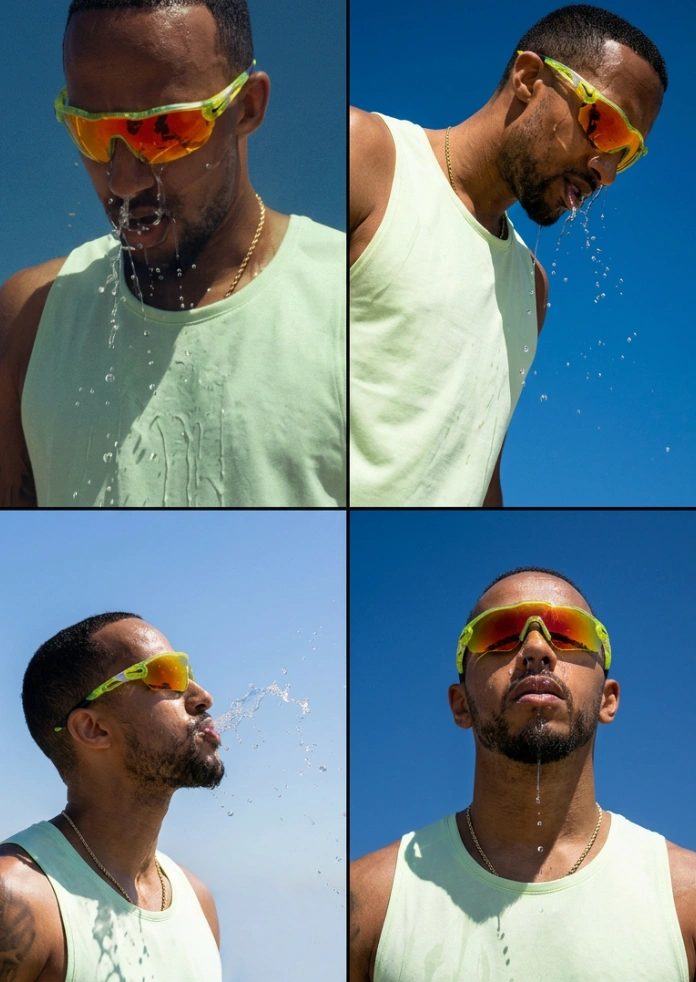
Turn one image into an entire photoshoot.
— Google Gemini (@GeminiApp) December 29, 2025
Edit the angle, lighting, lens and so much more with Nano Banana Pro.
See a room come together with Nano Banana Pro.
— Google Gemini (@GeminiApp) January 8, 2026
Upload a photo of the room you’re working on, then upload pics of those wish list items and watch the magic come to life.
More ingredients. More control. 🍌
— Flow by Google (@FlowbyGoogle) December 4, 2025
With Nano Banana Pro in Flow, you can now include up to 10 ingredients when generating an image. This means more consistency and more creative control over your outputs when you use your image with Frames to Video.
See this in action for… pic.twitter.com/YwWr0QyLt6
We just dropped Nano Banana Pro, built on Gemini 3. 🍌
— Google DeepMind (@GoogleDeepMind) November 20, 2025
With state-of-the-art text rendering, vast world knowledge and studio-quality creative controls, Gemini 3 Pro Image can create and edit more complex visuals, infographics and more. Here’s what’s under the hood. 🧵 pic.twitter.com/x8fTe6pcmO
Have you tried prompting with the word "risograph"? It makes a cool effect.
— Nano Banana 2 (@NanoBanana) January 15, 2026
Prompt: Create a collection of icons representing [a theme], they belong together as a single theme. Put them in a 2x2 grid (no lines). The background is pure white. Make the icons as risograph prints.… https://t.co/enkWeqHLkh pic.twitter.com/gqhLBPtMXR
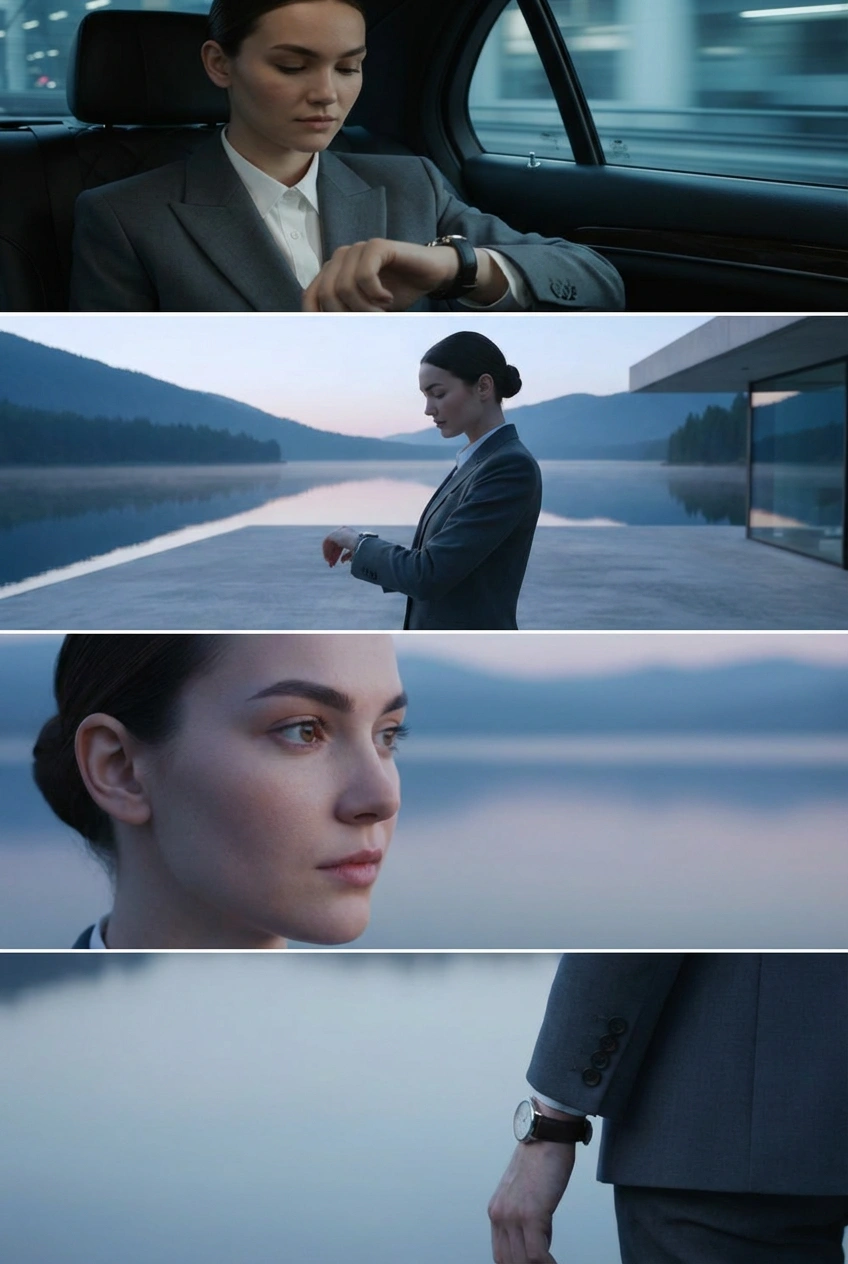
With Nano Banana Pro in Flow, you have the control to design and curate the setting, refine the details, and visualize the camera angles.
— Flow by Google (@FlowbyGoogle) January 5, 2026
Get the shot just as you pictured it.
See it in action.👇 pic.twitter.com/e0pybrJWVw
You can now turn your sources into cinematic video explainers in @NotebookLM 📽️
— Google (@Google) March 6, 2026
It uses our most advanced models like Gemini 3, Nano Banana Pro and Veo 3, to animate the visual story behind your sources.
Here’s a Cinematic Video Overview explaining... Cinematic Video Overviews… pic.twitter.com/Mrn1iqcXi3
Here’s how it works:
— Google DeepMind (@GoogleDeepMind) January 29, 2026
🔵 Design your world and character using text and visual prompts.
🔵 Nano Banana Pro makes an image preview that you can adjust.
🔵 Our Genie 3 world model generates the environment in real-time as you move through.
🔵 Remix existing worlds or discover new… pic.twitter.com/LiebMe2H9n
नैनो बनाना प्रो क्या है?
नैनो बनाना प्रो (जेमिनी 3 प्रो इमेज) गूगल डीपमाइंड का अत्याधुनिक इमेज जेनरेशन और एडिटिंग मॉडल है जो जेमिनी 3 प्रो पर बनाया गया है । यह जटिल, उच्च-निष्ठा कार्यों के लिए डिज़ाइन किया गया है जहां गुणवत्ता, तथ्यात्मक सटीकता और रचनात्मक नियंत्रण सबसे महत्वपूर्ण हैं ।
नैनो बनाना प्रो और नैनो बनाना 2 में क्या अंतर है?
नैनो बनाना प्रो अधिकतम गुणवत्ता, तर्क गहराई और तथ्यात्मक सटीकता को प्राथमिकता देता है । नैनो बनाना 2 (मिथुन 3.1 फ्लैश इमेज) मिथुन फ्लैश की गति के साथ नैनो बनाना प्रो की उन्नत सुविधाओं को जोड़ता है, जिससे यह तेजी से पुनरावृत्ति और रोजमर्रा के कार्यप्रवाह के लिए बेहतर विकल्प बन जाता है । पूर्ण निष्ठा की आवश्यकता वाले विशेष कार्यों के लिए, प्रो मजबूत विकल्प बना हुआ है ।
नैनो बनाना प्रो किस रिज़ॉल्यूशन का समर्थन करता है?
यूजर्स नैनो बनाना प्रो के साथ कई आस्पेक्ट रेशियो में 2K या 4K इमेज जेनरेट कर सकते हैं । यह इसे प्रिंट-तैयार परिसंपत्तियों, बड़े प्रारूप के दृश्यों और उत्पादन-ग्रेड डिलीवरेबल के लिए उपयुक्त बनाता है ।
14 संदर्भ छवि इनपुट कैसे काम करता है?
14 संदर्भ छवियों तक अपलोड करके, आप एक साथ एक पूर्ण शैली गाइड लोड कर सकते हैं - जिसमें लोगो, रंग पैलेट, चरित्र टर्नराउंड और उत्पाद शॉट शामिल हैं । मॉडल आपके आउटपुट को ऑन-ब्रांड और नेत्रहीन रूप से सुसंगत रखने के लिए संदर्भ के रूप में उपयोग करता है ।
क्या नैनो केला प्रो छवियों के अंदर सटीक पाठ उत्पन्न कर सकता है?
हाँ । मॉडल अधिक विस्तृत छवियों और सटीक पाठ बनाने और विभिन्न शैलियों, फोंट और भाषाओं में पाठ उत्पन्न करने की क्षमता के साथ अपने पूर्ववर्ती पर सुधार करता है । यह स्वच्छ sans-serif लेबल से लेकर विस्तृत टाइपोग्राफिक कला तक सब कुछ संभालता है ।
क्या मैं मौजूदा छवि के अंदर पाठ का अनुवाद कर सकता हूं?
हाँ । आप एक छवि ले सकते हैं और उसके अंदर पाठ का अनुवाद कर सकते हैं, इसलिए आपका रचनात्मक कार्य अन्य देशों के लिए तुरंत तैयार है । यह विशेष रूप से उत्पाद पैकेजिंग, विज्ञापन और साइनेज के लिए उपयोगी है जिन्हें कई बाजारों में काम करने की आवश्यकता होती है ।
मैं विजार्ड पर नैनो बनाना प्रो कहां से एक्सेस कर सकता हूं?
विजार्ड एआई स्टूडियो खोलें, मॉडल पिकर से नैनो बनाना प्रो का चयन करें, और जनरेट करना शुरू करें । आप संदर्भ छवियों को अपलोड कर सकते हैं, विस्तृत संकेत लिख सकते हैं, और पहलू अनुपात को समायोजित कर सकते हैं - सभी एक ही इंटरफ़ेस में जिसे आप Veo 3, Kling 3.0 और बाकी मॉडल लाइब्रेरी के लिए उपयोग करते हैं ।
क्या मुझे नैनो बनाना प्रो का उपयोग करने के लिए भुगतान किए गए विजार्ड प्लान की आवश्यकता है?
आप सीमित संख्या में पीढ़ियों के साथ नैनो केला प्रो मुफ्त में आज़मा सकते हैं । सशुल्क योजनाएं अधिक पीढ़ियों, तेज प्रसंस्करण और नैनो बनाना 2, वीओ 3, क्लिंग 3.0 और सोरा 2 सहित पूर्ण विजार्ड मॉडल लाइनअप तक पहुंच को अनलॉक करती हैं ।
क्या मैं वाणिज्यिक परियोजनाओं के लिए नैनो केला प्रो से आउटपुट का उपयोग कर सकता हूं?
हाँ । Vizard पर उत्पन्न छवियों का उपयोग विज्ञापन, ग्राहक कार्य, उत्पाद अभियान और वाणिज्यिक उत्पादन के लिए किया जा सकता है । उच्च मात्रा या उद्यम लाइसेंसिंग प्रश्नों के लिए, विज़ार्ड टीम आपको विकल्पों के माध्यम से चल सकती है ।
क्या विजार्ड नैनो बनाना प्रो के लिए एपीआई एक्सेस प्रदान करता है?
हाँ । विजार्ड का एपीआई डेवलपर्स और टीमों को नैनो बनाना प्रो को अपने स्वयं के उत्पादों में एकीकृत करने और बड़े पैमाने पर छवि पीढ़ी को स्वचालित करने देता है । अधिक जानकारी Vizard API पेज पर उपलब्ध है ।









